|
|


Changing the Order of Filtering Criteria
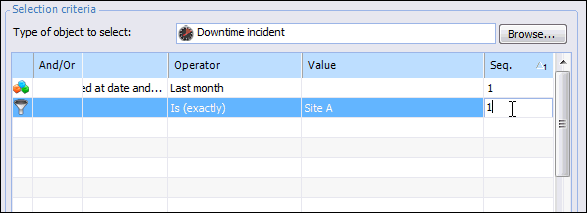
If you have multiple criteria in one filter group, the order in which you arrange the filtering criteria also affects the results. When there are three or more filtering criteria, APM uses the order of operations rules to determine the order in which to evaluate them. Criteria from the same filter group are evaluated together, with criteria that are connected with the AND operator evaluated before OR operators.To Change the Sequence Number of a Filtering Criterion
 is enabled.