
Including or Excluding Columns in Quick Searches

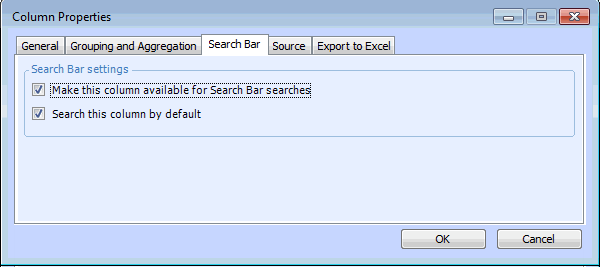
By default, when the quick search bar is turned on, all of the text string columns are made available to search. However, you can turn off the search feature for individual columns. In addition, for each column you can set whether it is included in the default quick search, or not.
Note: Quick search only applies to string columns. This means, for example, that it cannot be used to search columns that contain dates, currency amounts, or value lists.

To Include or Exclude Columns in Quick Searches
1.
2.
On the Columns tab, double-click the column that you want to edit. The Column Properties dialog appears.
3.
Select the Search Bar tab.
4.
5.
Click OK to save your changes and close the dialog.