Viewing Site Accounting Settings

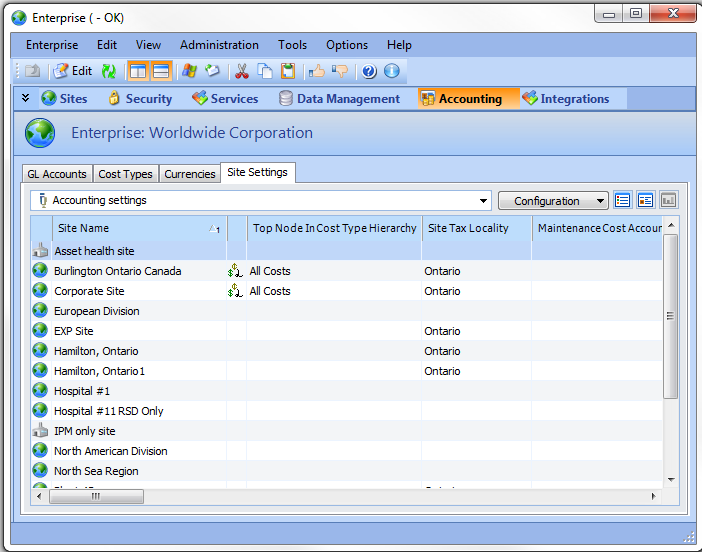
Accounting settings for all sites can be viewed in a list format for easy comparison. This prevents administrators from having to preview each site’s accounting settings individually.
This topic explains how to view accounting settings defined for all sites in your organization.

To View Site Accounting Settings

1.
2.
Select the Site Settings tab. By default, the Accounting Settings configuration lists various accounting settings for all sites, for example:
Tip: To view the special accounts assigned to sites, select the Special Accounts configuration.