**Setting up States and Provinces

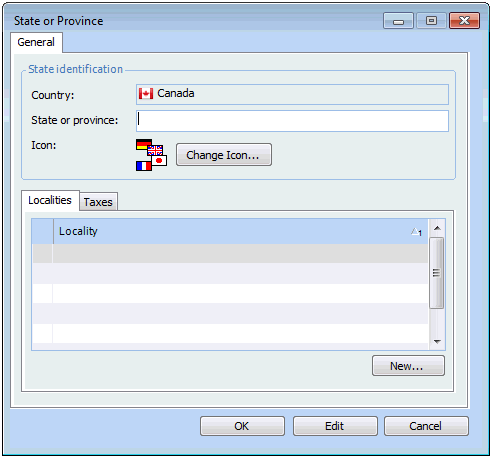
You can enter the names of states or provinces within countries. For each state or province, you can enter the taxes that apply to that jurisdiction, and any localities that exist within that state or province.
When you enter an address, you can select the appropriate state or province from the list and APM enters the name of the country automatically. Similarly, when you select a country first, only the states or provinces in that country appear in the list of states.

To Set up a State or Province

1.
From the Enterprise window, select the Administration menu and then Application Settings. The Application Settings dialog appears.
2.
On the Countries tab, double-click the country where the state is located. The Country dialog appears.
3.
On the General tab, click New. The State or Province dialog appears.
4.
For detailed instructions, see Setting up Localities.
5.
Select the Taxes tab to set up taxes for the state or province. For detailed information, see Setting up Taxes.
6.
Click OK to save the information and close the State or Province dialog.