Adding Currencies

You can add currencies in Application settings, as well as modify the currencies supplied by APM. Added at the enterprise level, currencies are available to all sites. Each currency’s must have a unique symbol. APM boxes that show monetary amounts automatically display the symbol for the currency used by the site.
Note: A new currency is not available for use until you log off and exit APM and then restart it.

To Add a Currency

1.
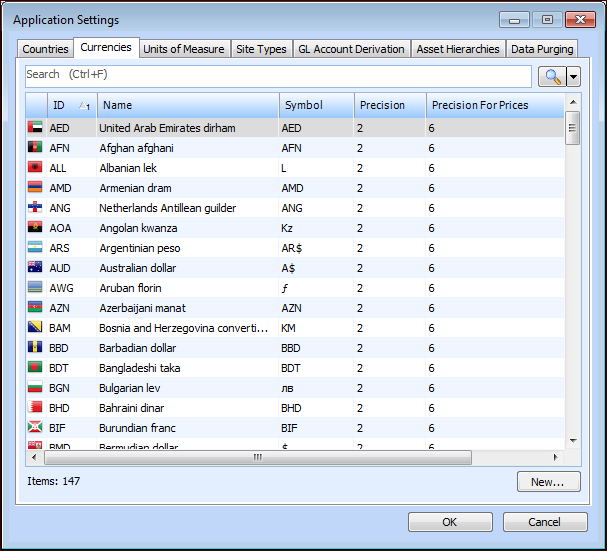
From the Enterprise window, click the Administration menu and then Application Settings. The Application Settings dialog appears.
2.
Select the Currencies tab.
3.
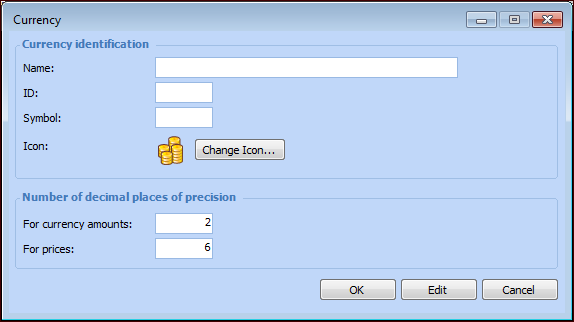
Click New. The Currency dialog appears.
4.
5.
To select an icon that is different than the default, click Change Icon and select an appropriate icon from the Change Icon file.
6.
Click OK to save the currency.