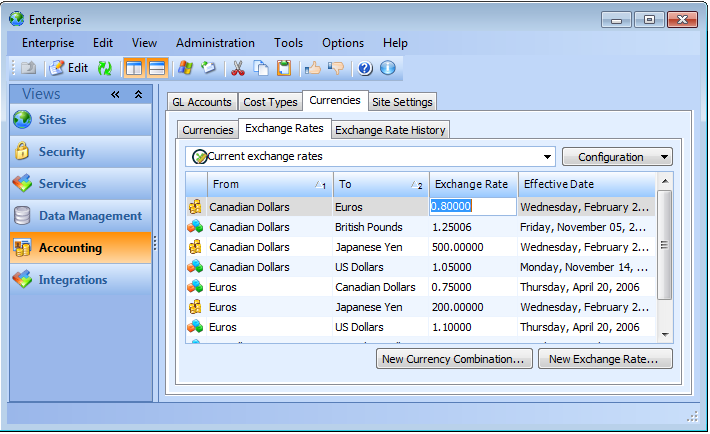
Editing Current Exchange Rates

The current rate for a currency combination cannot be deleted (it must first be replaced with a new current rate), and you cannot add a new rate more than once per day. However, you can edit the current exchange rate to correct an incorrect rate. The changed rate is used on any currency conversion performed after the change. Any transactions that used the incorrect rate have to be corrected using the available means associated with the object. For example, if a failure mode is copied to a site with a different currency, failure costs must be adjusted to reflect the corrected rate.
This topic explains how to edit a current exchange rate for a currency combination.

To Edit the Current Exchange Rate

1.
2.
Select the Currencies tab, then the Exchange Rates tab. This tab shows a list of all exchange rates entered in the system.
3.
Select the rate you want to edit and press F2. The Exchange Rate cell opens for editing.
4.
Tip: You can also double-click an exchange rate to open the Exchange Rate dialog. Click Edit to change the rate. Click OK to close the dialog.