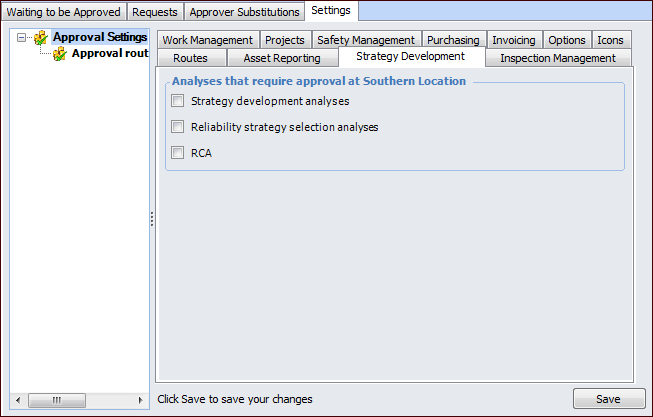
Concepts Tasks Settings Setting up Approvals for Strategy Development Analyses To use the APM approval function with strategy development analysis (CPR, MTA2, RCM2, RBI, SIF, and HAZOP), reliability strategy selection, and root cause analysis (RCA), identify the types of analyses that require approval at your site. This topic describes how to set up approvals for analyses. After entering approval settings, you must set up authorized employees as approvers and create approval routes in order to use approvals with these documents. To Set up Approvals for Strategy Development Analyses 1. Select the site’s Approvals view, Settings tab, and then select the Settings node in the tree. 2. Select the Strategy Development tab. 3. Click Edit to modify the site settings. The Edit button is replaced by the Save button. 4. Select the types of documents that require approval. 5. Click Save.