
|
Resolving a Failure
Note: Resolving a failure does not affect any downtime incidents that were created for it. Recording the end of downtime is a separate procedure. For more information, see Reviewing and Closing Downtime Incidents.If it is necessary to change the failure record after it is resolved, you must reopen it. For more information, see Reopening a Failure Record.To Resolve a Failure
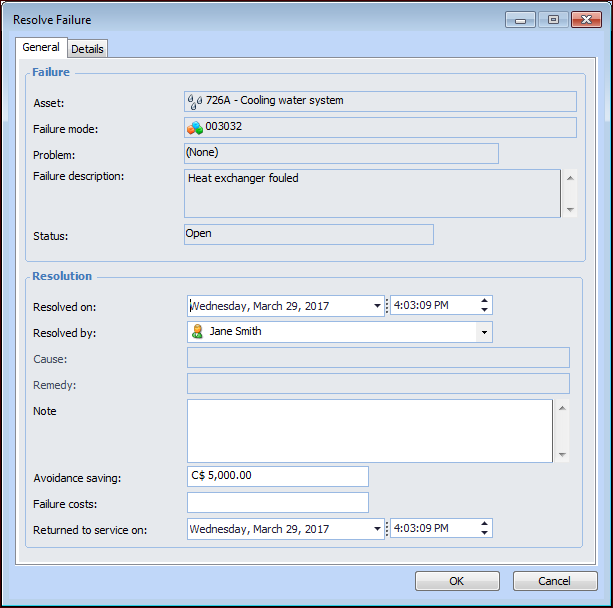
1. Select the site’s Performance Management view, Failures and Downtime tab, and Failures tab. Right-click the failure record and click Resolve. The Resolve Failure dialog appears.The Failure area displays information about the asset, failure mode or problem, failure description, and status.
2. In the Resolution area, select the date and time when the failure was resolved.
7. In the Failure costs box, you can enter the estimated costs to the company of the failure.
9. Select the Details tab.
10.
11.
12. Click OK. The failure record’s status is updated to Resolved.