Evaluating Failures for RCA

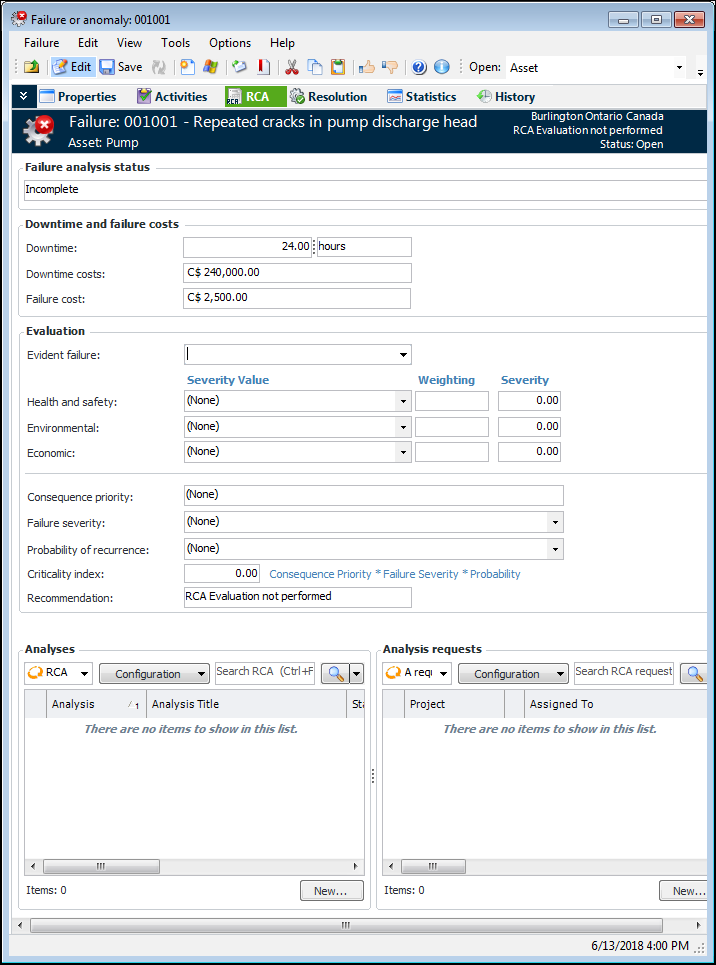
Using the RCA view in the Failure or Anomaly window, you can evaluate a failure’s suitability for root cause analysis based on its criticality index. The evaluation produces one of these recommendations:
If RCA is recommended or required, you can create an analysis from the RCA view, or you can create a project to track the creation of the RCA in the future.
APM calculates the criticality index as follows:
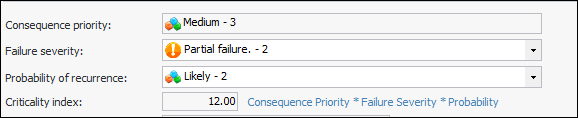
Criticality Index = Consequence priority * Failure Severity * Probability of Recurrence
The value of the criticality index, in turn, determines whether RCA is required, recommended, or not required.

Consequence Priority

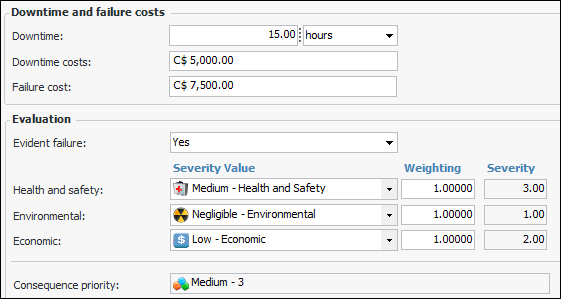
During the evaluation, the team specifies whether the failure is evident or hidden. Then they determine the failure’s consequence priority by selecting severity values for the health and safety, environmental, and economic consequences. For example:
Note: If the failure references a failure mode, severity values are copied from the failure mode’s risk analysis to the failure’s Consequences tab.
APM calculates the consequence priority by multiplying the severity values by their weighting factors and then applying a rule to the result. For example, the following rule could assign a consequence priority of “Medium”.
Any of(Environmental, Economic, Safety) Is equal to 3.00
Rules can also include the failure record’s downtime and failure costs. The larger the consequence priority number, the greater its priority.

Criticality Index

The criticality index is calculated by multiplying the numbers assigned to the consequence priority, failure severity, and probability of recurrence. For example:

Recommendation

The failure’s evident/hidden value and its criticality index determine the RCA recommendation.
The recommendation is determined by the position of the criticality index value in the recommendation thresholds.
For information about setting up recommendation thresholds and other elements of the evaluation, see Setting up RCA Recommendation Thresholds.

Updating the Failure Analysis Status

When you have completed the evaluation, create the RCA or the analysis request, if appropriate. Then change the failure analysis status to “Completed” or “Not required”. This makes the evaluation read-only and ensures that the status of the failure’s RCA evaluation is accurate when you browse for failures from an RCA.
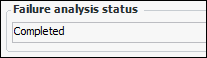
The value is shown in the Failure analysis status box:
This topic explains how:

To Evaluate Failures for RCA

1.
2.
3.
4.
In the Evaluation area, provide the information needed to arrive at a recommendation:
Total: the asset’s performance has decreased to a point where the asset is no longer performing at its required level. The asset has completely failed.
Partial: the asset’s performance has decreased to a point where it is no longer performing one of its functions at the specified levels. The asset is still functioning.
Potential: a condition that has been noticed that would result in an actual failure if the problem is not resolved. The actual failure has not yet occurred. Potential failures are normally reported as the result of an indicator reading that has raised a warning alarm against the asset.
5.
6.
Save the failure record. The value in the Failure analysis status box changes to “Performed”.

To Update the Failure Analysis Status

When the evaluation is complete, click the Tools menu, Mark Failure Analysis As, and then click one of:
The value in the Failure analysis status box changes accordingly.
The Consequences tab becomes read-only. To alter the evaluation, change the status back to “Not performed”.