Editing Failure Records

You can change some information on a failure record by enabling editing, changing the information, and saving the record. However, changing asset information, severity level, PF interval, or dates on a failure record might require that the failure statistics or PF interval for the current and related failures be recalculated. Consequently, you cannot change this information directly on the Failure or Anomaly window.
Change buttons are available for dates and severity level. If you need to change the dates when a failure occurred or was reported, click Change next to the Occurred on boxes. You can also change the severity level by clicking Change next to the Severity box. You can also select commands in the Tools menu to change information.
When you change a failure record’s dates or asset information, statistics and PF intervals for the affected assets are recalculated automatically.
Note: To change information in a resolved failure record, you must first reopen it. For more information, see Reopening a Failure Record.
Tip: You can view changes to the failure record’s key information on the History view.
This topic explains how to edit asset information, failure dates, the PF interval, and severity.

To Edit Asset Information

1.
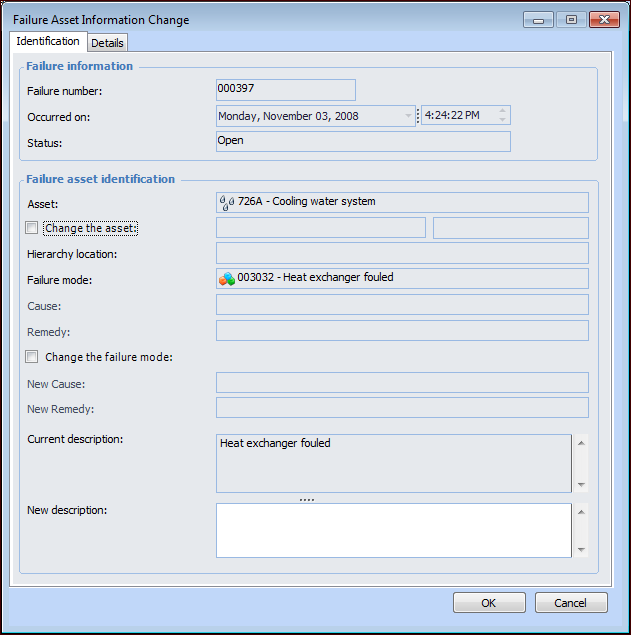
Open the Failure or Anomaly window. On the Tools menu, select Change and then click Asset Info. The Failure Asset Information Change dialog appears.
Tip: In the Site window’s Performance Management view, Failures and Downtime tab, Failures tab, you can right-click the failure record, select Change, and then click Asset Info. The Failure Asset Information Change dialog appears.
2.
To select a different asset, select Change the asset, click the browse icon to select a new asset, and click OK. The asset’s hierarchy location and failure mode are displayed.
3.
If you wish to change the failure mode, select Change the failure mode and select a different failure mode.
4.
Enter a comment in the New description box.
5.

To Edit a Failure’s Dates

1.
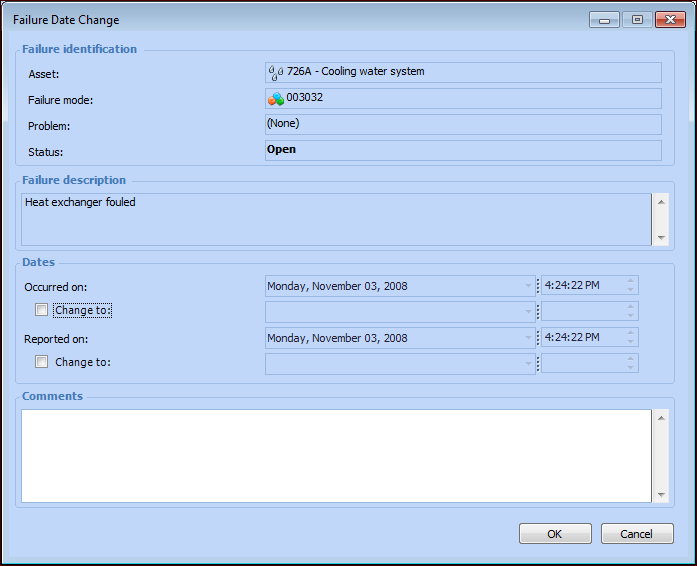
Open the Failure or Anomaly window. On the General tab, click Change next to the Occurred on boxes. The Failure Date Change dialog appears.
Tip: You can also select the Tools menu, click Change and then Dates.
2.
Click Change to under Occurred on or Reported on.
3.
4.
5.

To Edit a Failure’s PF Interval

1.
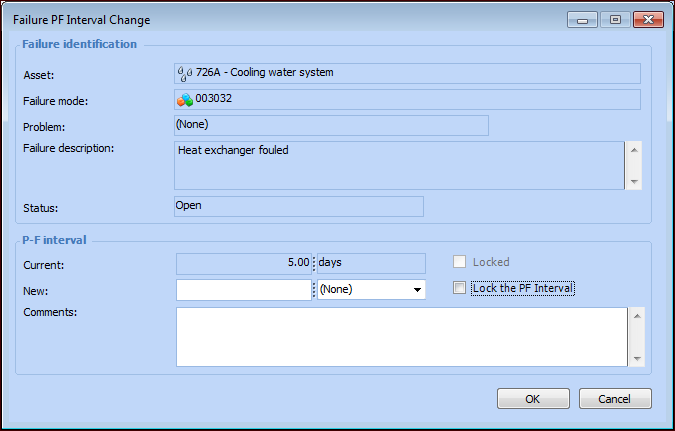
Open the Failure or Anomaly window. On the Tools menu, click Change and then PF-Interval. The Failure PF Interval Change dialog appears.
2.
3.
To prevent APM from recalculating the PF interval for the failure, select Lock the PF Interval. While it is locked, the PF interval can be manually changed, but it will not be recalculated by APM.
4.
5.

To Edit a Failure’s Severity

1.
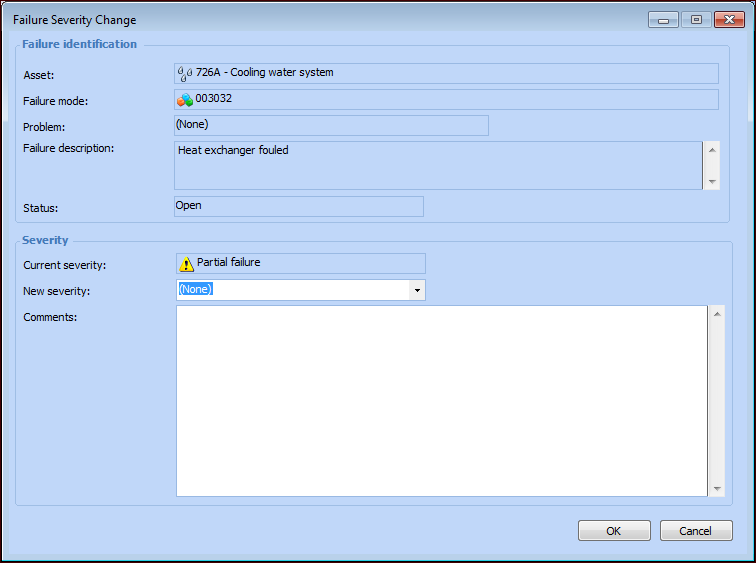
Open the Failure or Anomaly window. On the General tab, click Change next to the Severity box. The Failure Severity Change dialog appears.
Note: Or you can select the Tools menu, click Change and then Severity.
2.
3.
4.