Viewing Snapshots of Asset Information

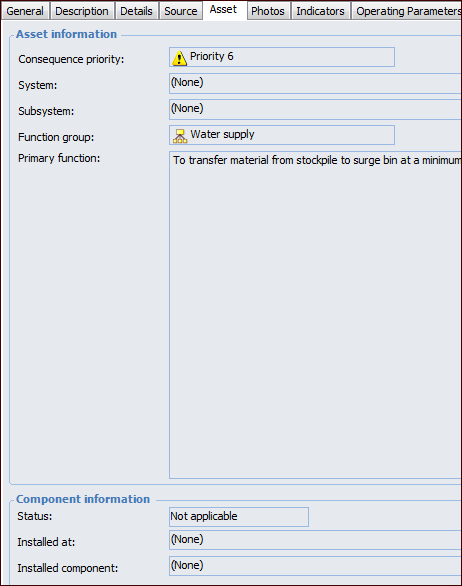
APM records a snapshot of information about the asset at the time that a failure is recorded. The information includes the consequence priority, parent system or subsystem, function group, and primary function. If applicable, the asset’s component information is also shown.
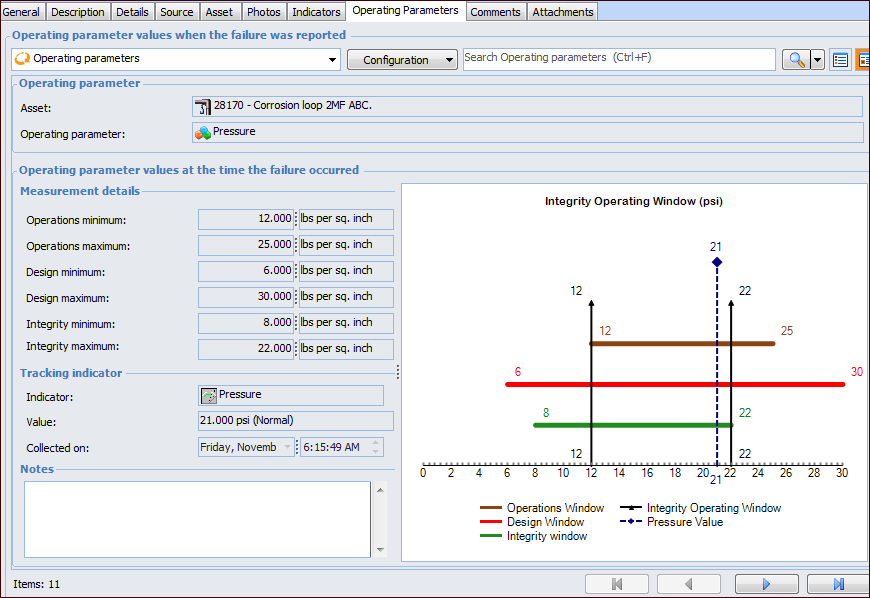
Whenever the asset is added or changed on the failure record, APM takes a snapshot of the asset’s operating parameters and those of its ancestor assets. Operating parameters provide numerical information about an asset’s designed, actual, and integrity operating variables, including maximum and minimum measurements and measurement frequency. The snapshot shows the operating parameter values at the time that the failure occurred, as well as the tracking indicator’s reading value and notes.
This topic explains how:

To View a Snapshot of the Failure’s Asset

1.
2.
Select the Asset tab.

To View Operating Parameters

1.
Open the failure and select the Properties view, Operating Parameters tab. For example:
2.
3.