
|
Viewing Information About a Failure’s Resolution
To View Information About a Failure’s Resolution
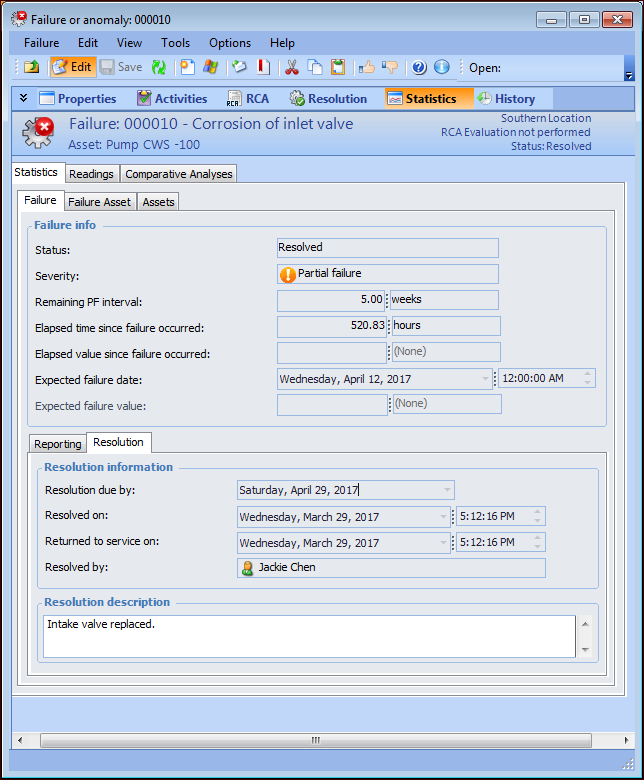
1. Open the Failure or Anomaly window and select the Statistics view.
2. Select the Failure tab and the Resolution tab. This tab displays the dates when the failure was resolved and the asset was returned to service. If the failure record is based on a problem, rather than a failure mode, the cause and remedy can also be displayed.