|
Linking Numeric Indicator Readings
To Link Numeric Indicators
1.
4.
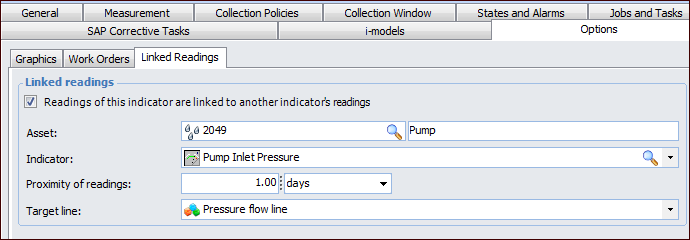
5. Select Readings of this indicator are linked to another indicator’s readings.
6.
7. Select the indicator to be linked from the Indicator list.
9. In the Target line list, select the style of target line to be shown on the chart of linked readings. The style specifies the co-ordinates and sequence of points on the line.
10. Select the Graphics tab. Select a gauge type from the list.To View Linked Readings
2. Select the Readings view and Linked Readings tab. The Current tab shows the current reading. Click in the chart to view the linked readings in the right-hand panel.
3. Select the History tab to view a chart of readings over time.