Entering Payment Details on an Invoice

You can enter payment and discount details on an invoice, such as payment terms and the payment supplier, if applicable.
The supplier record can identify where payment for invoices is to be sent. For example, a supplier’s invoices might be paid to its parent organization. If the supplier uses a payment supplier, one of the following options applies:

To Enter Payment Details On An Invoice

1.
2.
3.
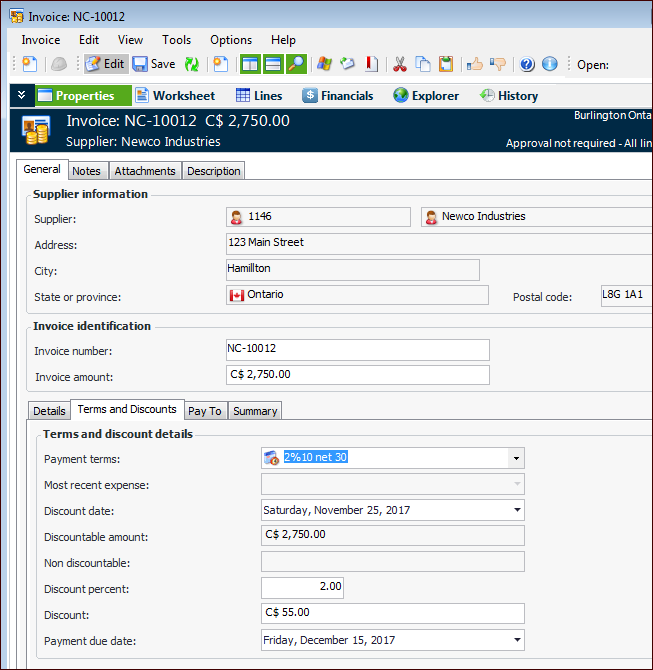
Select the Properties view, General tab and the Terms and Discounts tab. For example:
If the supplier uses a specific payment supplier, the Pay To tab displays information about the payment supplier. If the supplier uses two or more payment suppliers, you can click the browse icon to select a payment supplier.
4.
The Terms and Discounts tab displays information supplied when the invoice was entered. You can change some of this information, if necessary.
Note: When you add extra charge lines to an invoice, be sure to review the invoice discount amounts (in the Invoice window, select the Properties view, General tab, Terms and Discounts tab). APM automatically updates the non-discountable and discountable amounts, but might not update the invoice total with the new charges. In that case, you will need to adjust the total amount to ensure that the discount is correct. You will then need to balance the invoice.
5.