Entering Manufacturer Information for a Supplier Resource

You can link a manufacturer record to a supplier resource’s price. Each price for the supplier resource can be linked to a different manufacturer. For example, a supplier might provide the same item produced by manufacturers A and B. The price of the item when made by manufacturer A is $5, but from manufacturer B it is $6. You can record this information in the supplier resource.
This topic explains how to link a manufacturer to the current price of a supplier resource. If the supplier resource has more than one price, you can link the manufacturers from the Price Details dialog. For more information, see Entering Manufacturer Information for a Price.

To Enter Manufacturer Information for a Supplier Resource

1.
2.
3.
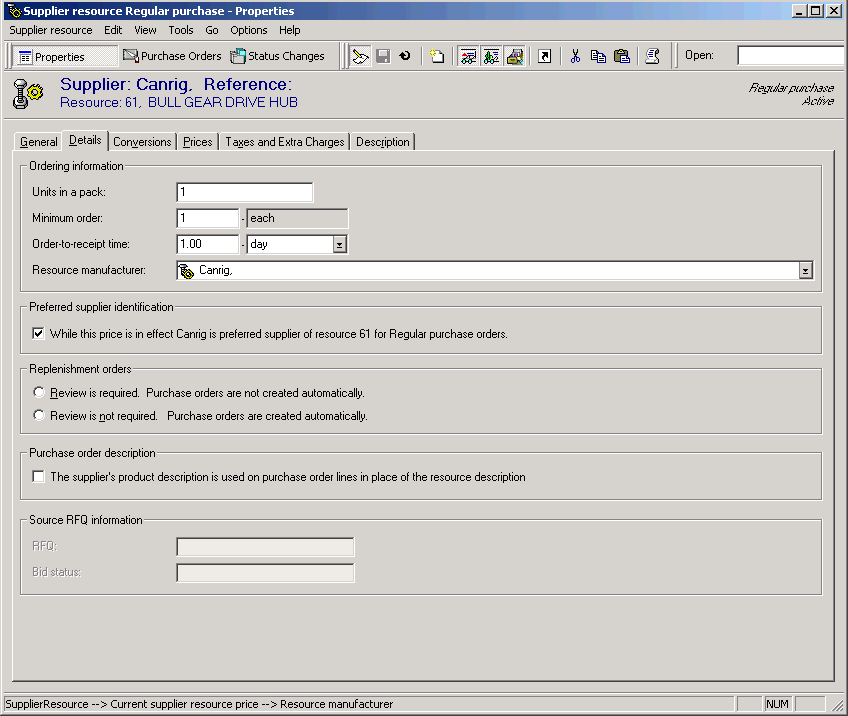
Select the Details tab.
4.
Select the Resource Manufacturer from the list:
If the manufacturer is not in the list, right-click the box and select New. Fill in the manufacturer information for this supplier resource price.
5.