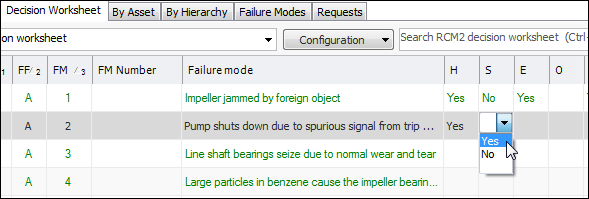
Concepts Tasks Entering Data in Tables If a table has been set up for in-cell editing, you can enter data and perform actions on an object without having to open multiple views and windows. To Enter Data in a Table 1. Select the view and tab that contains the table you want to use. Select the row and press F2. The first editable cell changes to the appropriate control based on the type of data it holds. For example: 2. Enter the data. 3. Press Tab to move to the next box or click the down arrow to move to the next row. 4. When you are finished editing data, press Enter.