|
Creating a Miscellaneous Cost Transaction For a Work Order
To create a miscellaneous maintenance cost transaction, you must have a cost type to which you can charge the transaction. Miscellaneous transactions can only be charged to cost types where the Miscellaneous expenses option is set to Available for use.To Create a Maintenance Miscellaneous Cost Transaction
1.
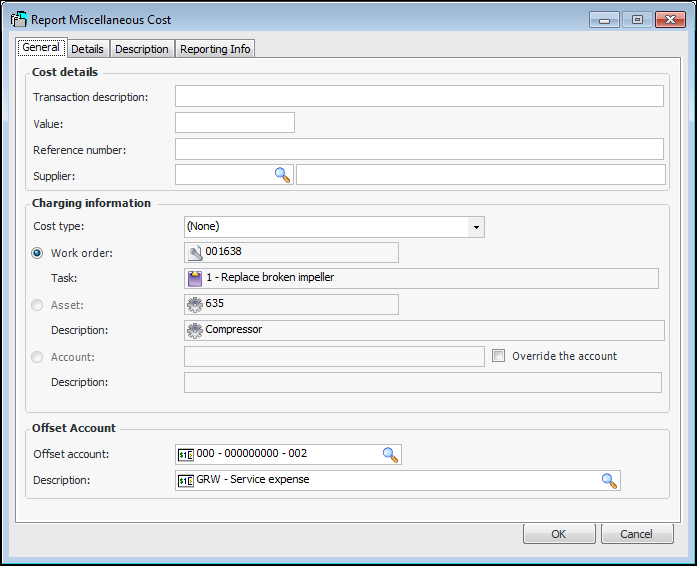
2. Click New. The Report Miscellaneous Cost dialog appears.
3. On the General tab, enter the following settings:
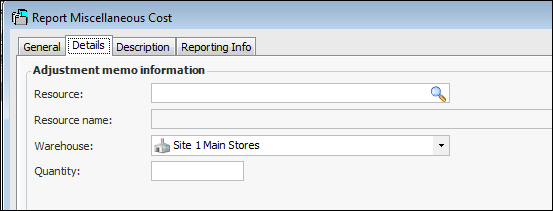
4. The Details tab lists additional information.
Labor: Hours worked.Material: Adjustment quantity, invoiced quantity, issued quantity, return quantity, or received quantity (purchase and transfer).Service: Received hours or invoiced hours.Tool: Adjustment quantity, invoiced quantity, issued quantity, return quantity, or received quantity (purchase and transfer).Adjusting an Item: If you have selected Quantity Adjustment as the adjustment type, enter the quantity by which to change the inventory.Issuing an Item: Enter the quantity issued.Entering a Physical Count Adjustment Transaction: APM automatically enters the quantity when the transaction is posted.
5. You can enter a more detailed description on the Description tab.
6. Select the Reporting Info tab and ensure that the Reported by and Reported on information is correct.