
|
Adding an On-site Contract Employee
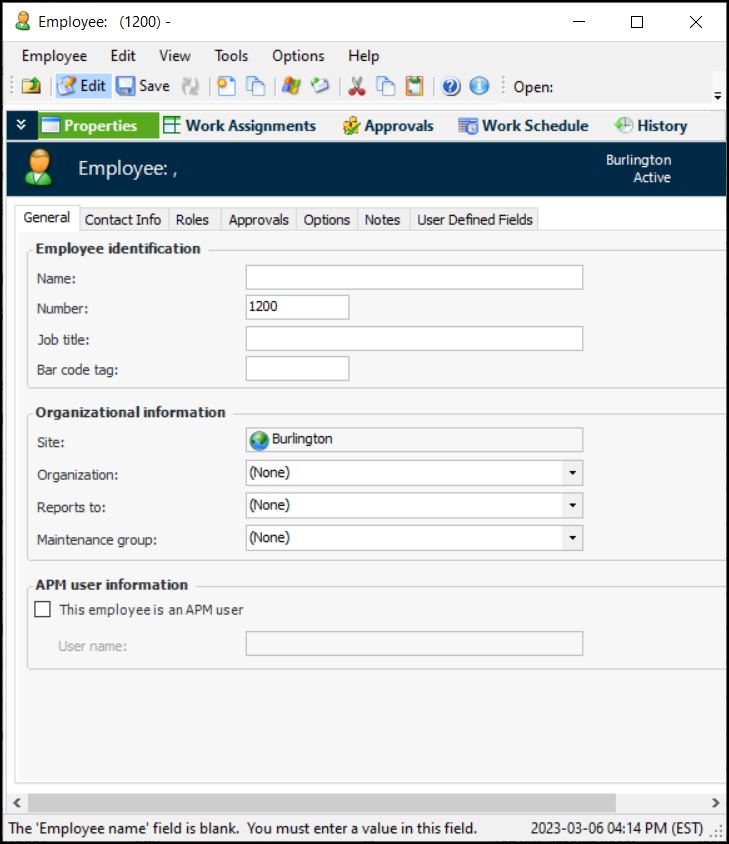
To Add an On-site Contract Employee Record
1. Select the site’s Personnel view and the Employees tab, and then the Listing tab. This tab shows a table with all employee records for the site.
2. Click New. The Employee window appears.
4.
5. Select the is a contractor option.
6.
7. Note: Only trades that are set to have either Maintenance only or Both maintenance and purchasing as an Available source will be available for selection.
9. If the contractor performs more than one trade, select the appropriate trades in the Alternate trades performed by this employee table.