Editing the List of Supplier Resources

A supplier resource is a record of the ordering and pricing information of an item available from a supplier. You can create multiple supplier resources for any resource in the resource catalog to define ordering and pricing information for different suppliers or at different sites.
This topic explains how to add and delete supplier resources on a supplier record.

To Add a Supplier Resource

1.
Open the Supplier for which you want to edit the list of supplier resources.
2.
Select the Resources view.
3.
Click New. The New Supplier Resource dialog appears.
4.
5.
6.

To Delete a Resource from the List

1.
Open the Supplier for which you want to delete the supplier resource.
2.
Select the Resources view.
3.
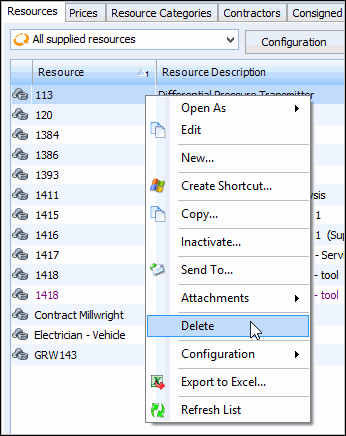
Right-click the resource in the list and select Delete. APM asks you to confirm that you want to delete the item. To delete it, click Yes. The item is removed from the supplier’s list of supplied resources but remains listed in the Resource Catalog.
4.
When you are finished, Save and Close the Supplier window.