Developing Design FMECA Functions and Failure Modes

Defining the assets’ functions, functional failures, failure modes, and failure effects are fundamental steps in design FMECA. Functions must be identified before the team can assess the consequences of failure and develop failure management policies. The FMECA process asks the following questions:
Developing a function in APM using the Facilitation view is a three-step process:
This section explains how to develop functions, functional failures, failure modes, and failure effects using the Facilitation view, Info Worksheet tab. It includes links to detailed topics for some tasks.
You can also copy functions and failure modes into the analysis. For more information, see Copying Design FMECA Failure Modes.

To Create Functions

1.
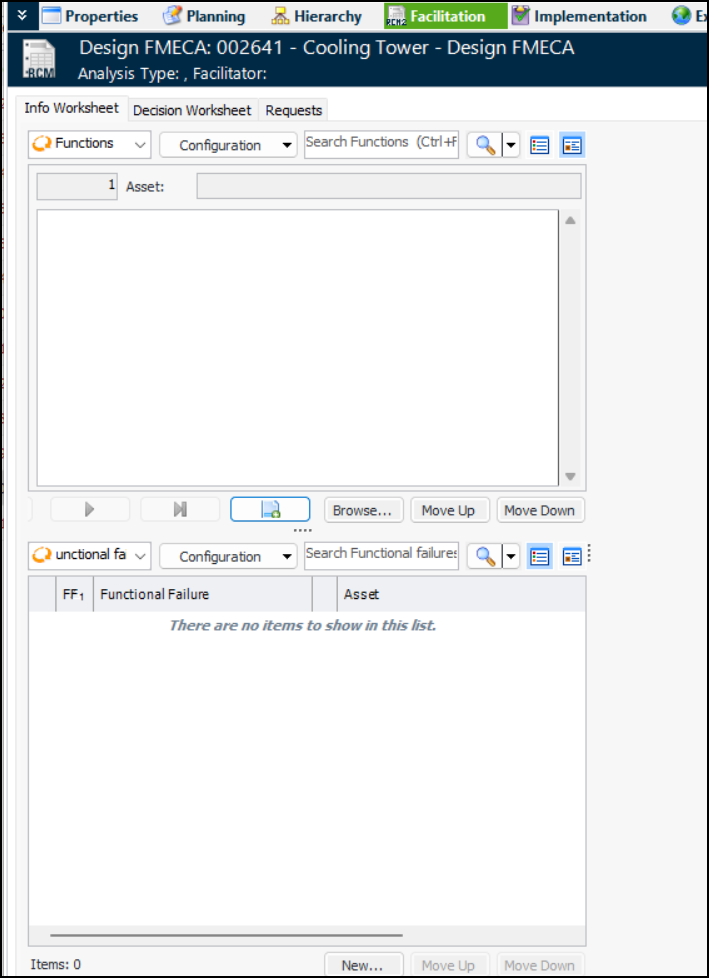
Open the analysis and select the Facilitation view, Info Worksheet tab.
2.
3.
4.
In the Functions area, click to create a function.
The function is automatically assigned a sequential reference number.
5.
Tip: You can also copy functions, their functional failures, failure modes, and action plans into the analysis. Click Browse. The Copy Failure Modes wizard appears. For information about using the wizard, see Copying Design FMECA Failure Modes.
6.
Tip: To re-sequence functions as needed, click to view the functions in a table. Use the Move Up and Move Down buttons to change their order. The sequence numbers change accordingly.

To Define a Function’s Functional Failure

1.
In the Info Worksheet tab, ensure that the correct function is displayed in the form view. You can use the buttons to navigate between functions, functional failures, and failure modes.
2.
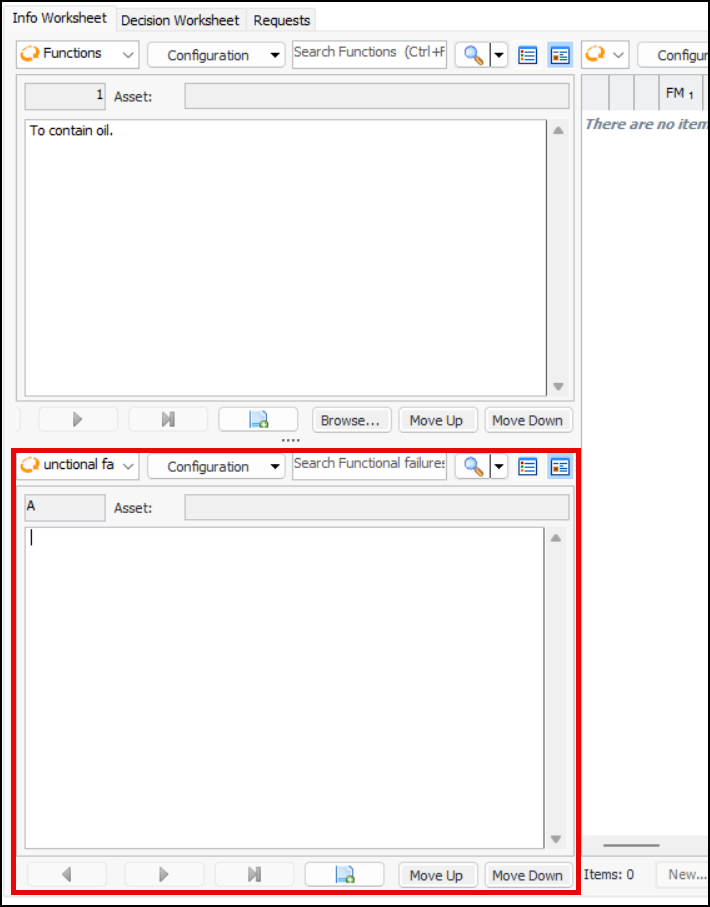
In the Functional failures area, select the View as Form icon. Click . The functional failure is assigned a sequential reference letter. The Functional failure box is open for editing.
3.
4.
Tip: To re-sequence functional failures as needed, click to view them in a table. Use the Move Up and Move Down buttons to change their order.

To Create a Failure Mode

1.
In the Info Worksheet tab, ensure that the correct function and functional failure are displayed. You can use the buttons to navigate between functions, functional failures, and failure modes.
2.
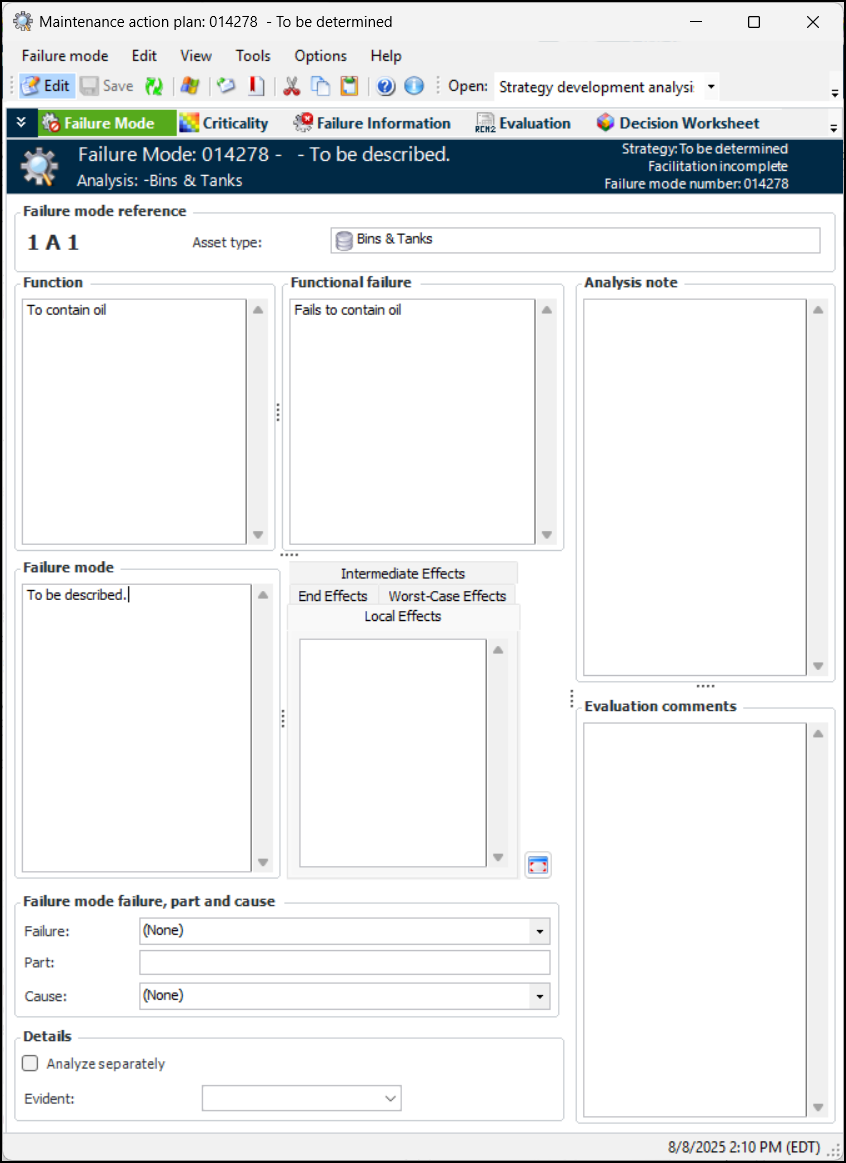
The Information worksheet configuration is best viewed in table mode, which is the default selection. Click the New list and then From Scratch. The Maintenance Action Plan window appears, showing the function and functional failure. For example:
The Failure mode reference area displays the unique identifier for the failure mode, which consists of the number assigned to the function, the functional failure’s letter, and a sequential number assigned to the failure mode.
Tip: You can hide the notes boxes by selecting an option in the analysis’ failure mode options. In the Strategy Development Analysis window, select the Properties view and the Failure Mode Options tab. On the User Interface tab, click Hide notes sidebar.
3.
4.
If the Failure effects box is displayed, describe what happens when the failure mode occurs.
If the analysis supports extended failure effects, select the appropriate tabs and enter information:
Local Effects –Local effect on the piece of equipment
Intermediate Effects – Intermediate effect on a higher level equipment or asset
End Effects – End effect on the asset or system being analyzed
Tip: Click to open the Extended Effects dialog.
5.
In the Failure mode failure, part and cause area, select a failure and cause from the lists and enter a description of the effected part.
6.
In the Evident list, select “Yes” or “No”. A failure mode is evident if its effects become apparent to the operating crew under normal circumstances if the failure mode occurs on its own.
7.
8.
Select the Criticality view to perform risk analysis. For more information, see Performing Design FMECA Failure Mode Risk Analysis.
9.
Select the Failure Information view, Failure Data tab to record failure costs and calculate avoidance savings. For more information, see Recording Failure Data for Design FMECAsRecording Failure Data for Design FMECAs.
10.
Select the Evaluation view to analyze the consequences of the failure modes and arrive at strategies for preventing or mitigating failures. For more information, see Evaluating Design FMECA Failure Mode Consequences.
11.
Select the Feasibility view, if available, to evaluate whether the proposed maintenance strategies are worth doing; that is, whether implementing the maintenance tasks will cost less than the savings achieved by avoiding the failure. For more information, see Evaluating the Feasibility of Design FMECA Maintenance Tasks.
12.
Select the Implementation view to develop action plans. For more information, see Developing Primary FMECA Action Plans.
13.