Creating Global Variables

Global variables are pre-assigned a value and are available for all sites. For example, a global variable named “Monthly service cost” with a value of 175.00 can be multiplied by the number of times each asset was sent for service. Global variables can be defined at the enterprise level by an administrator, or they can be created in an asset health calculation.
To define a calculation condition for a triggered or asset degradation calculation, you must first be logged on as an APM administrator.
This topic describes how to define a global variable.

To Create a Global Variable

1.
2.
Select the Customization Center view.
3.
Select the Calculations tab and then the Settings tab.
4.
Select the Global Variables tab. All global variables for the enterprise are listed.
5.
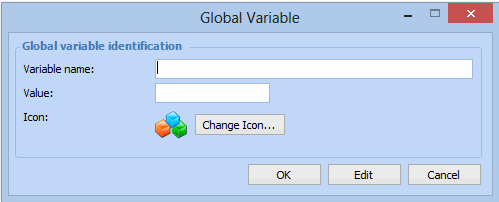
Click New. The Global Variable dialog appears.
6.
7.
8.
You can click Change Icon to change the icon for the global variable.
9.
When you are finished, click OK. The global variable appears in the list.