Defining the Calculation

In APM, four types of expressions can be used to create a calculation: VB.NET, C#, stored procedure, and VB scripts. Note that APM recommends using VB.NET or C# scripts rather than VB scripts whenever possible, due to their increased functionality.
This topic describes how to define the calculation for a triggered or asset degradation calculation.

To Define the Calculation

1.
2.
3.
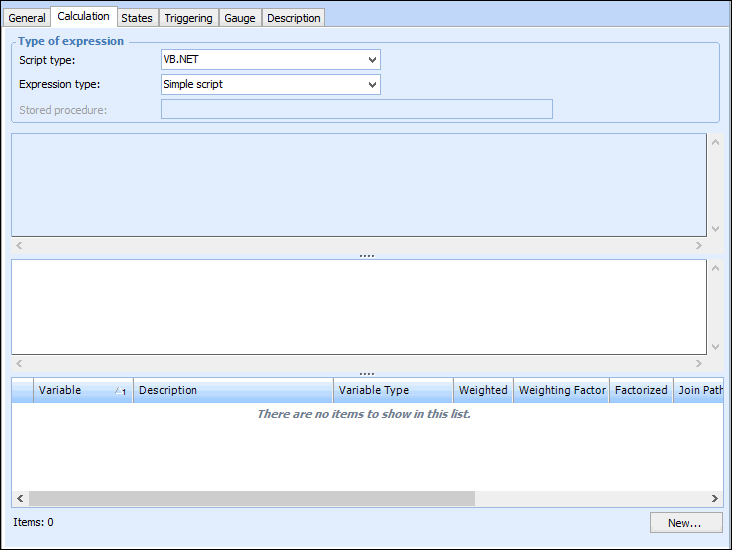
Select the Calculation tab. For example:
4.
VB.NET – Inputs and functions defined on the Calculation tab can be used to create a formula that is calculated at run time. This is the default option
C# – Inputs and functions defined on the Calculation tab can be used to create a formula that is calculated at run time
Stored procedure – The expression is provided in a stored procedure that receives its inputs at runtime and returns a value
5.
With the Complete class option, a starter script template is provided automatically, which you can edit as needed. You can also click Regenerate from Template to reset the formula to the starter script.
The template scripts include DebugData statements that you can augment to output trace messages when the Check (Test) or Check (Live) method is invoked to test the calculation.
Tip: You can view the template scripts by opening the Enterprise window, clicking the Administration menu and then Calculation options. For more information, see Defining Calculation Options.
6.
If you are entering a function, see Using Logical Operators in Calculations.
If you are using a formula, you can use three elements: