|
|


Defining Selection Criteria for a Purging Rule
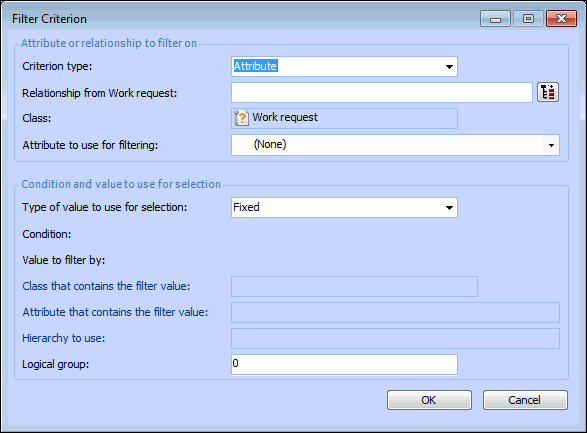
Because purging rules are site-specific, the site is always an implied selection criterion. That is, a purging rule only deletes items for the site or sites to which it applies, regardless of the other selection criteria defined. Every filter criterion starts from the class of objects that you want to select (for example, the Work Request class). You must then select either an attribute or a relationship to use to filter the objects. In most cases, you will base the filter on an attribute (property) of the base class. For example, you might filter a group of work requests based on the WorkRequestStatus attribute. However, you might also use an attribute owned by a related class.Filter Groups
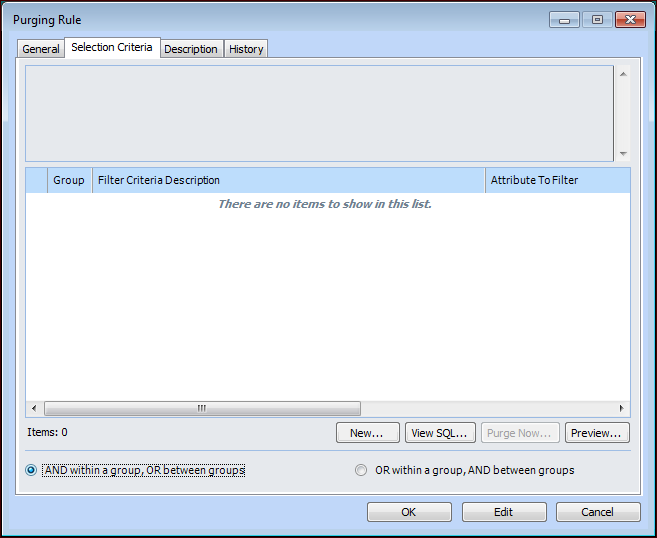
Each filter group is identified by a number. The first criterion that you create is assigned to filter group “0”. By default, each new criterion is added to the same filter group. You can change the group to which a criterion is assigned by entering another group number in the Logical group box on the Filter Criterion dialog. You can add any criterion to any filter group. For example, you might want to evaluate all criteria based on the same attribute within the same group.Relationships Between Filter Groups
The default choice is AND within a group, OR between groups. Because each group typically contains only criteria for the same attribute, in most situations it is not necessary to change the default operator.For example, the following criteria and the AND within a group, OR between groups setting:
To Define Section Criteria for a Purging Rule