
|
Resequencing Assets in a Hierarchy
To Resequence Assets in a Hierarchy
1.
•
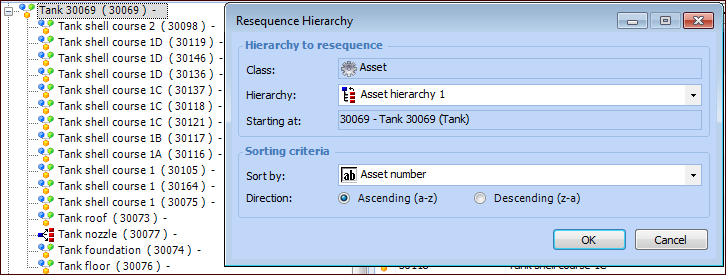
• Tip: You can also open the starting asset’s window, click the Tools menu, and then click Resequence Hierarchy.The Resequence Hierarchy dialog appears. This example is from the Site window, Assets view, Physical Hierarchy tab when a specific parent asset is selected:
3. Select a sorting criteria in the Sort by list. Typically, asset number or title is used.
5. Click OK. A confirmation message appears. Click Yes to continue. When the process is completed, the hierarchy tree view shows the assets in their new order. You can refresh the view to see the change in the tab.