|
Viewing Auditing Information for Classes
To View Auditing Information for a Class
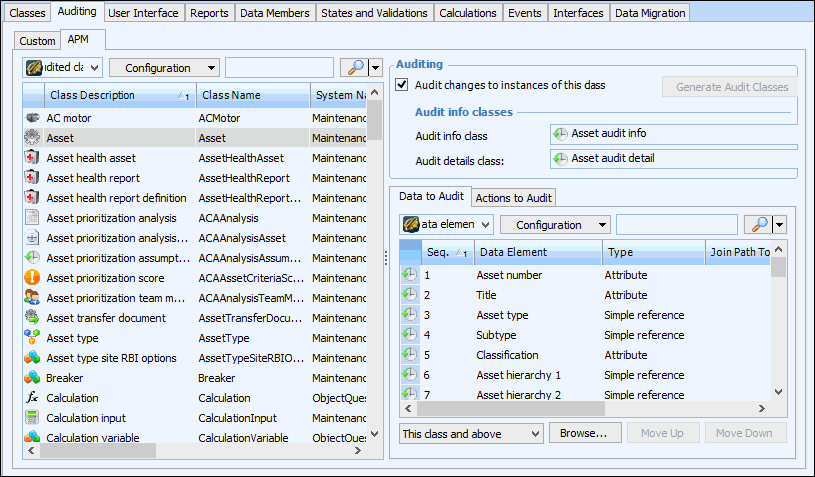
2. Select the Customization Center view.
3. Select the Auditing tab. The Custom tab lists all audited custom classes. The APM tab lists all audited base APM classes. For example, select the APM tab and then select an audited class from the table on the right. Its audited data elements and actions are listed on the appropriate tabs on the right:Note: Audit information cannot be directly altered on an APM base class. You must first create a custom class based on an APM class and modify the audited properties of the custom class. For more information, see Enabling Auditing for a Custom Class.
4. When you are finished, close the Customization Center view.