Customizing Approval Request Emails

APM has pre-defined base messages used for the subject line and body of approval request emails. You can customize the information that appears in approval request emails by creating your own custom title and/or body text in the email.
For more information about creating a custom message, see Creating Custom Messages.
Note: You must be logged in as an APM administrator in order to customize approval request email messages.
This topic explains how to customize approval request emails.

To Customize Approval Request Emails

1.
Open the custom Approval Request class.
2.
3.
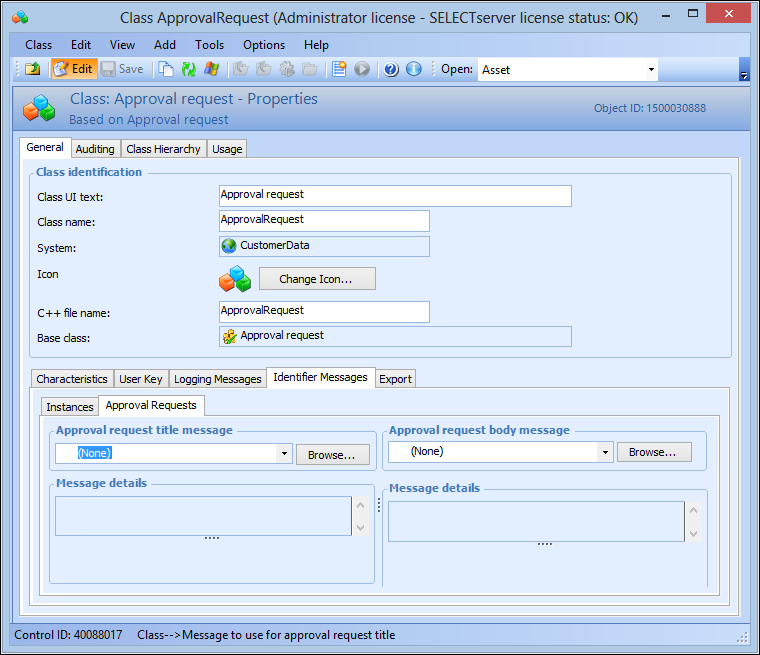
From the Properties view, select the General tab, then the Identifier Messages tab, and then the Approval Requests tab. For example:
 
4.
To use a custom title message in the approval request email, click Browse in the Approval request title message box, and select a message for the subject of the email.
5.
To use a custom body message in the approval request email, click Browse in the Approval request body message box, and select a message for the body of the email.
6.