Creating Scheduling Dependencies for Tasks on a Standard Job

When a work order is created from a standard job, the system can either create the standard Finish-to-start dependencies between each task, or it can use dependencies that you define on the job’s tasks. You can do this by entering the predecessor information for each task.

Relationship Types

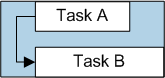
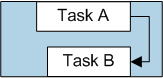
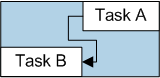
Four relationship types are available:

Lags and Overlaps

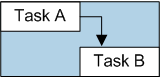
For each task relationship, you can enter a lag time. You can use lags to offset the start or completion date of two linked tasks. For example, if two tasks have a finish-to-start relationship with a four-hour lag, task B will start four hours after the completion time of task A.
You can also use lag time to overlap two tasks by entering a negative lag time. For example, to set task B to start four hours before task A is completed, link the tasks with a finish-to-start relationship, and enter a lag of “-4” hours.

To Enter Predecessors for a Job’s Tasks
1.
2.
3.
From the Properties view, select the Dependencies tab.
4.
To create specific dependencies for the tasks, select the option Create task links based on the dependencies defined on the job’s tasks.
5.
Select the Tasks tab. This tab shows the tasks for this job.
6.
7.
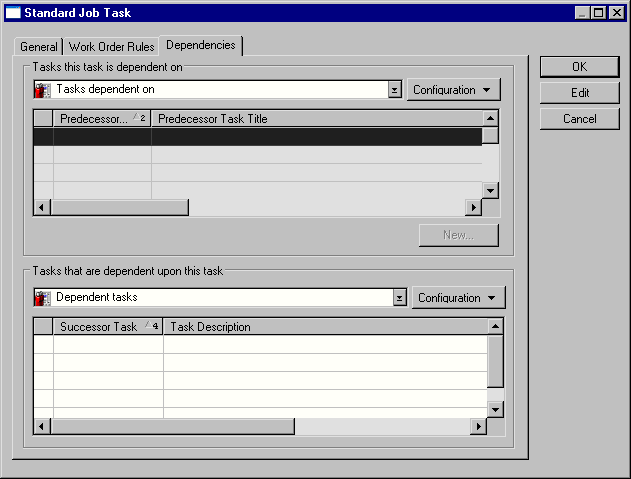
Select the Dependencies tab. Any existing predecessors and successors for the task are listed.
8.
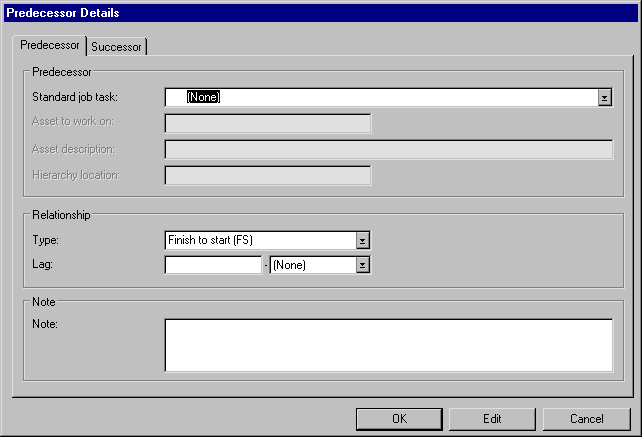
To add a new relationship, click New. The Predecessor Details dialog appears.
9.
Finish-to-start (FS): The successor task cannot start until the predecessor is finished
Start-to-start (SS): The successor task cannot start until the predecessor starts
Finish-to-finish (FF): The successor task finishes at the same time as the predecessor
Start-to-finish (SF): The successor task finishes at the same time as the predecessor starts
10.
Select the Successor tab. On this tab you can review the successor information.
11.
12.
13.
When you are finished, click OK to save the standard job task.
14.