
Using Task Templates to Create Standard Tasks for a Group of Assets
Task templates are reusable plans that allow you to quickly create standard tasks for a group of assets. For example, you could set up a task template for taking the vibration readings on pumps. If the same standard task is performed on each of the pumps, using a task template simplifies the creation and maintenance of the individual standard tasks. You might define separate task templates for taking the vibration readings for engines and gearboxes.
The task template contains much of the same information that is defined on the standard task. This includes resource requirements for the task, specific indicators to be read, and the procedures and documents that are applicable to the task.
However, a task template does not identify an asset, while the standard task does. Task templates are intended for use with several similar assets, so you can add indicator templates to them. If the task template is only for use with one asset, there is no value in defining the task template; you can simply define the standard task from scratch. Similarly, you cannot set up dynamic routes on task templates, since routes are asset-specific.
When you set up a task template and then use it to create standard tasks, APM maintains a link between each standard task and the template. If you need to change the standard tasks later on, you can make the change once in the task template and then apply the changes to the standard tasks.
If you have a task template that applies to a group of assets, you can use it to quickly and easily create standard tasks for all of the assets.

To Create Standard Tasks for a Group of Assets

1.
From the Site window, select the Reliability Program view, Program tab, and then the Task Templates tab.
2.
3.
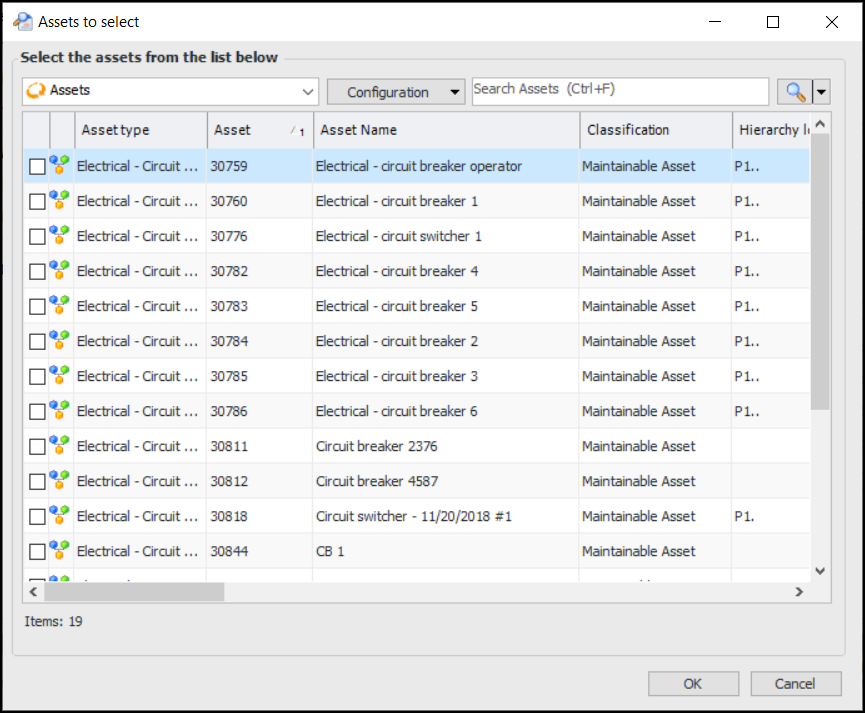
Click the Tools menu, and then select Copy To. The Assets to Select dialog appears. If the task template has been set up to apply only to certain asset types, only those types of assets are listed in the dialog.
4.
Select the assets and click OK. APM creates a standard task for each of the selected assets.
Tip: To see a list of the standard tasks based on the template, select the template’s Usage view, Standard Tasks tab.
Note: You can change any of the information for the standard tasks; however, this might override the task template information and affect how the task is updated from the template. See Editing a Standard Task that is Based on a Template.
5.