Creating an Invoice from a Template

Invoice templates are typically available for regularly recurring expenditures, for example, monthly utility bills. Templates make it easy to enter invoices for regular expenses.
When you create an invoice from a template, the following items are copied from the template to the new invoice:
In the new invoice, you can add information and change the default selections, as required.
This topic explains how to create an invoice from a template. For information about creating invoice templates, see Creating an Invoice Template.

To Create an Invoice from a Template

1.
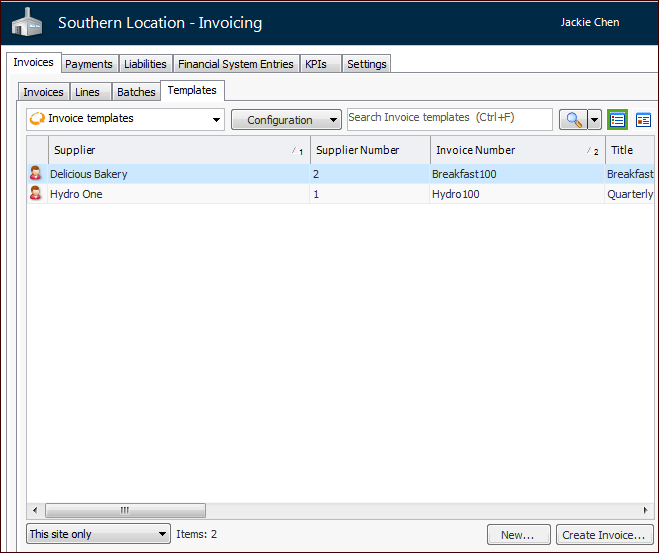
From the Site window, select the Invoicing view, Invoices tab, and then the Templates tab. By default, this table lists all invoice templates by supplier. It also displays information about the most recent invoices created from the templates.
2.
Tip: You can also open the template’s Invoice window, click the Tools menu and then Create Invoice.
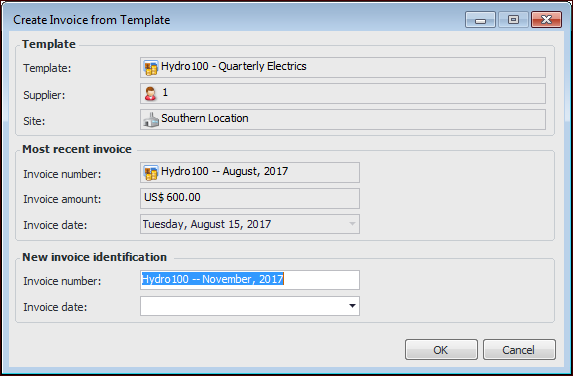
The Create Invoice from Template dialog appears. For example:
3.
4.
5.
Click OK. The Invoice window appears, showing the Worksheet view.
6.
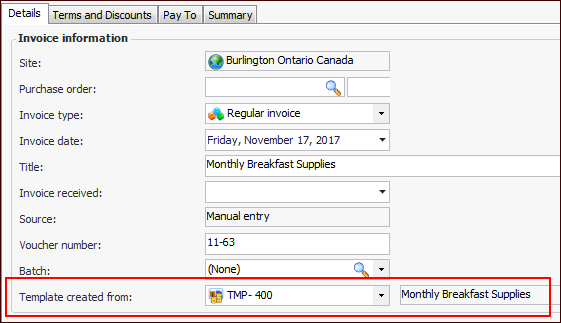
Tip: In the Invoice window, select the Properties view, Details tab to see the source template. For example: