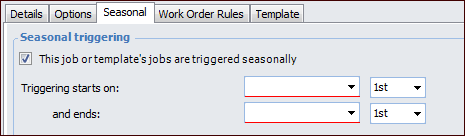
Concepts Tasks Settings Creating a Seasonal Standard Job You can set a range of dates for triggering the work order from a standard job. For example, you might have jobs that are only performed at a specific time of the year. When setting up a seasonal job, work orders are only created during the months specified on the job. To Set up a Seasonal Standard Job 1. Open the standard job or job template. 2. Make sure that editing is enabled. 3. On the Properties view, select the General tab and then the Seasonal tab. 4. Select This job or template’s jobs are triggered seasonally. 5. Select the starting month and day. 6. Select the ending month and day. 7. When you are finished, save and close the job.



 is enabled.