|
Creating Projects for Prioritization Analyses
This topic explains the basic steps for adding a project from an asset prioritization analysis. For detailed information about projects, see Projects.To Create a Project from a Prioritization Analysis
1.
4.
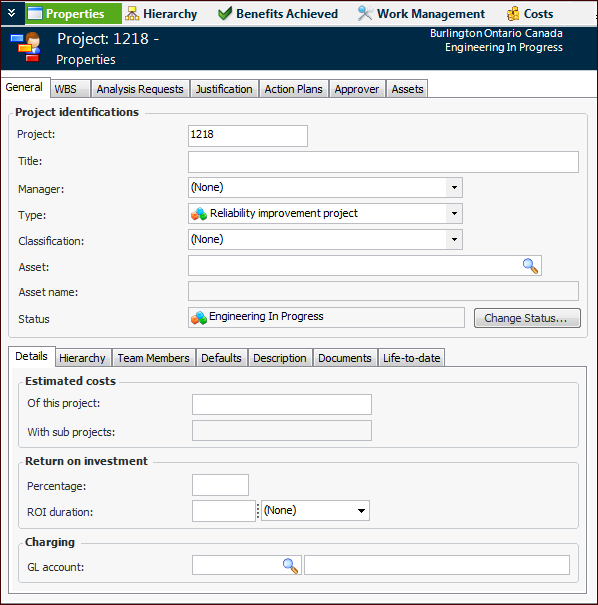
5. Click New. The Project window appears.
7. In the Type list, select the appropriate project type defined for your organization. In this example, the project type is Reliability Improvement. The Assets tab is added to the window. For example:
8.
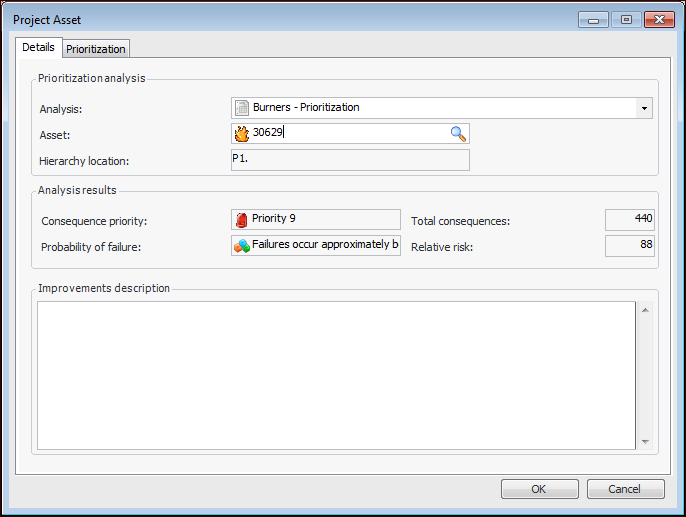
9. In the Analysis list, select the current asset prioritization analysis.
11. Select the Asset Listing tab to select an asset on the current analysis. Click OK. The analysis results for the asset are shown in the dialog. For example:
12. In the Improvements description box, enter a description for the project.
13.
14.
15. The projects are listed in the Asset Analysis window, Projects view, Projects tab, along with the list of improvements planned for the assets.