
|
Creating a Work Order from a Standard Job
To Create a Work Order from a Standard Job
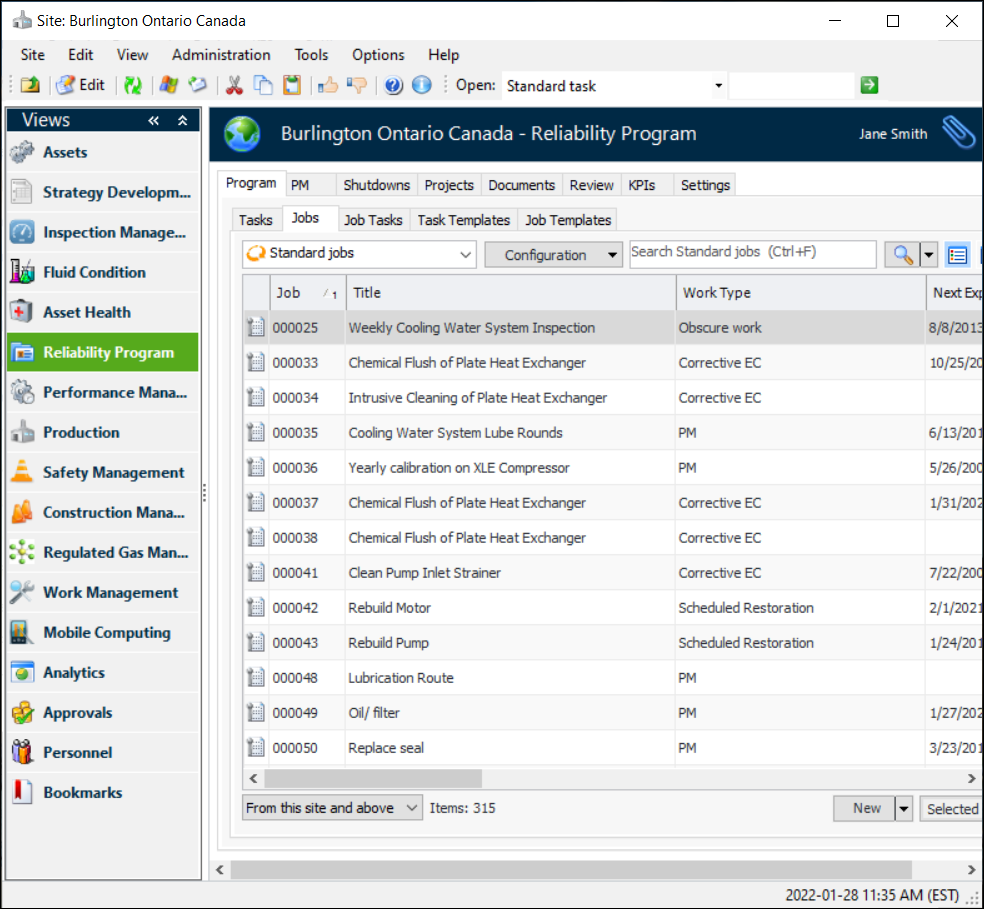
1. From the Site window, select the Reliability Program view.
2. Select the Program tab then the Jobs tab. This tab shows a list of all of the standard jobs available on the site.
3. Find the standard job that you want to use to create a work order. Right-click the standard job and select Create and then Work Order. The Work Order Task window for the first task appears. APM opens a new work order and adds all of the information that was planned for the standard job. Work order tasks are created for the standard tasks that were on the standard job.
•