Creating a Work Order Task from a Standard Task

A work order is a document that contains information about work that needs to be done in your organization. Each work order is made up of one or more tasks. A task is a single unit of work that can be performed on an asset. Each task on a work order can be planned and scheduled independently.
A standard task is a plan for a work order task that is done repeatedly for a specific asset. You can create work order tasks from a standard task at any time. When you create a task, it will automatically create a work order if no work order currently exists for that task.

To Create a Work Order Task from a Standard Task

1.
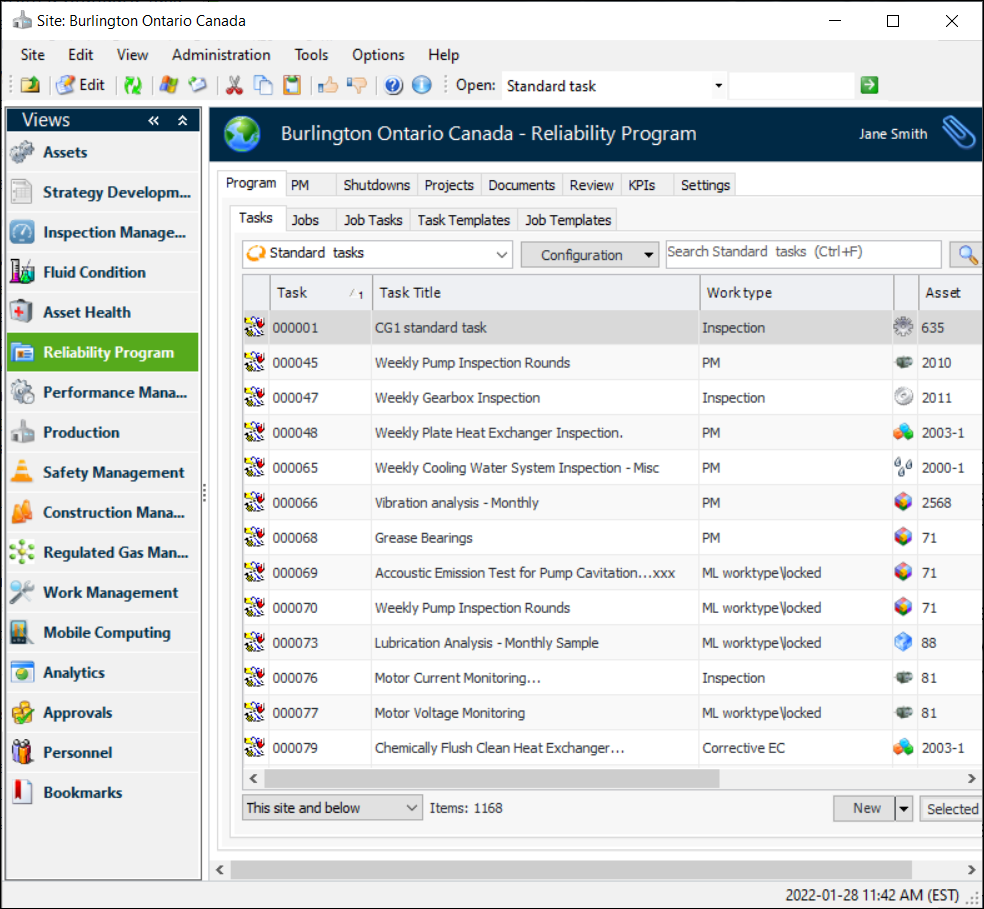
From the Site window, select the Reliability Program view.
2.
Select the Program tab and then the Tasks tab. This tab shows a list of all of the standard tasks available on the site.
3.
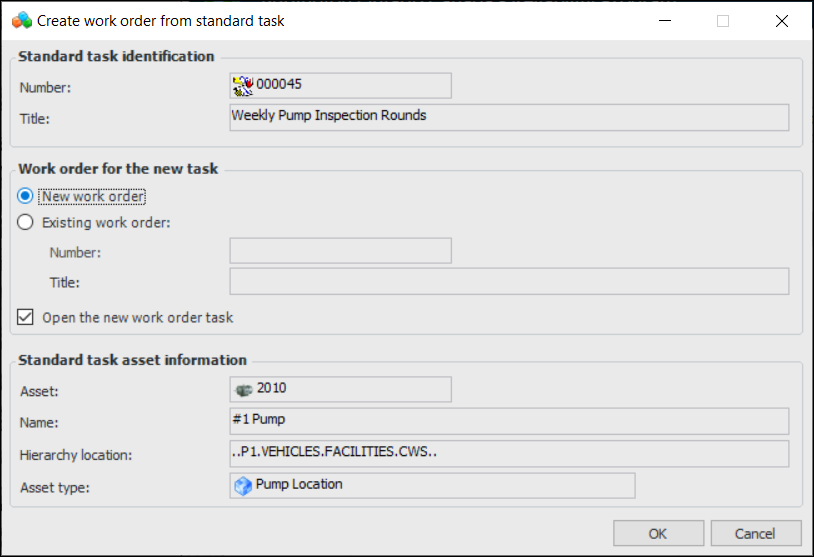
Find the standard task that you want to use. Right-click the standard task and select Create and then Work Order. The Create Work Order from Standard Task dialog appears.
4.
To add the standard task to an existing work order, select Existing work order, and then click browse to select a work order. The Work Order Selector dialog appears. Select the work order that you want to add the task to, then click OK.
5.
6.
Click OK. APM creates a new work order or adds a task to the selected work order. If you selected to open the work order task, the work order task window appears.
Tip: To view the work order for this task, click on the tool bar. The work order window appears.
7.
8.