
|
Creating a Work Order Task from Scratch
To Create a Work Order Task
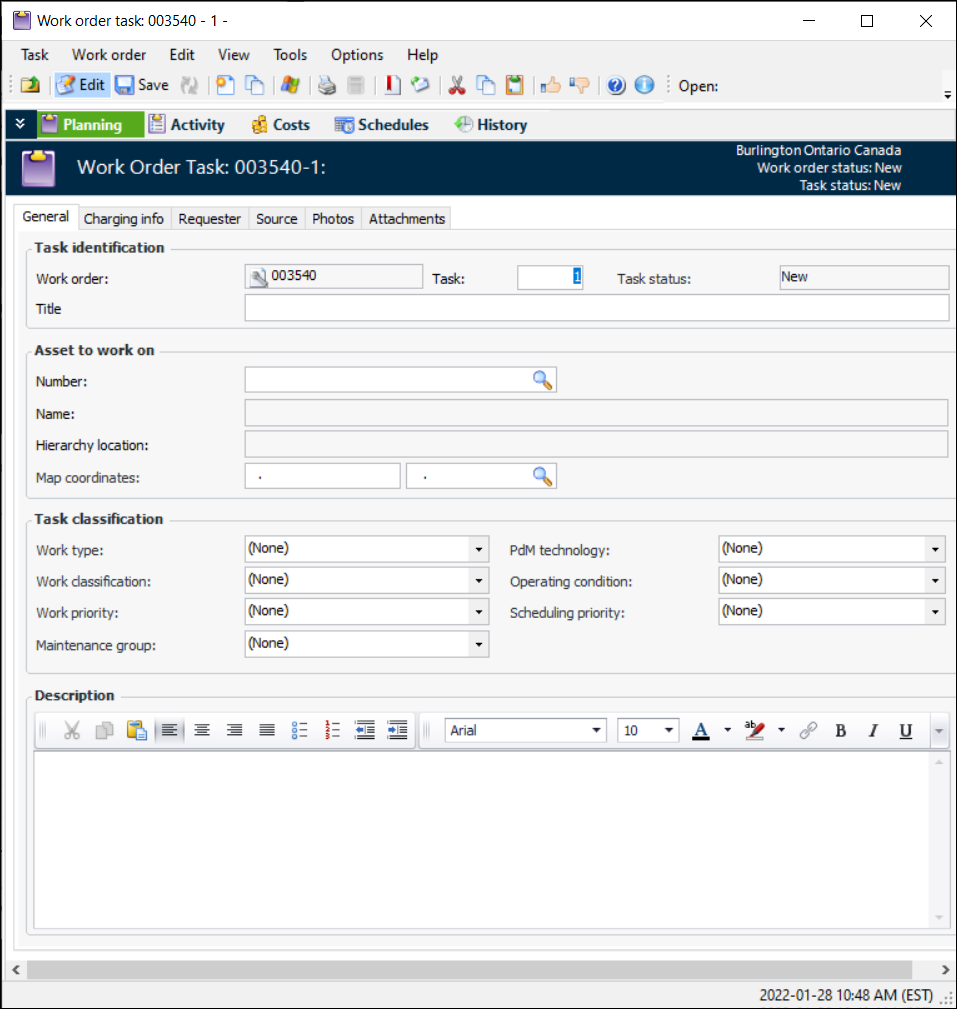
• From the site: Select the Work Management view, then the Work Orders tab. On the Tasks tab, click New. APM creates and opens a work order task and its work order. The Work Order Task window appears.
• From an asset: Open the asset that needs the work order. Select the Work Management view and then the Tasks tab. The Tasks tab shows a list of all open work orders for the asset. Click New. APM creates a work order task and its work order. The Work Order Task window appears.
2. In the Task Identification area enter a title for the work order task.
3. If the work order task was created from an asset, the Asset to Work On and Task Classification areas are updated with information from the asset.
4. Select the Charging Info tab. On this tab, you can add or change the charging information for the work order task:
5. Select the Requester tab. On this tab, you can change or add the request information for the work order task.If the work order task was created from a work request, the system enters the information from the request for you. You can view this information by selecting the Work Requests tab, and then the Source tab.
6. To link the work order task to a work request, select the Source tab, then the Work Requests tab. Click the table icon (). Click Browse. Select the appropriate work request and then click OK.
•
•