Copying a Standard Job

If you want to create a standard job that is similar to another standard job, you can make a copy. When you copy a standard job, the system reviews the tasks on the job to see if they exist on the asset for which you are creating the copy. The copy uses the following rules to determine whether or not to create new standard tasks on the asset:
If you need to create the same standard job for many similar assets, you may want to create a job template. This will make it easy to create many similar standard jobs. For detailed steps to create a job template, see Creating a Job Template.

To Copy a Standard Job

1.
2.
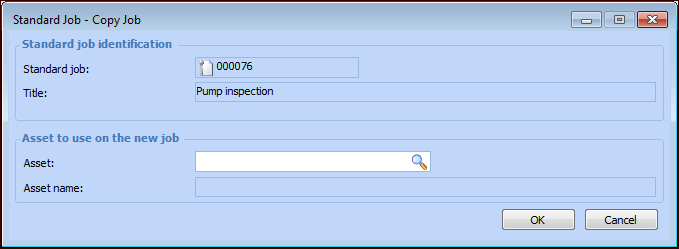
From the Job menu, select Create, then Copy. The Copy Standard Job dialog appears.
3.
4.
Click OK to close the dialog. When the copy is complete, APM opens the new standard job. The new job has the same tasks and information as the original, except for the asset that you have selected.
5.
6.