Introduction to Construction Management

APM provides features to manage equipment construction activities performed by field crews at your facilities. Construction Management is a view on both Site and Asset windows.
You can record construction management activities in APM alone, or asset and work data can be exchanged with an external CMMS system (such as SAP Plant Maintenance) using AssetWise Enterprise Interoperability (AWEIS). This overview includes information about asset change requests, which convey data to the CMMS.
Construction management supports these activities on the APM client and APM Remote:
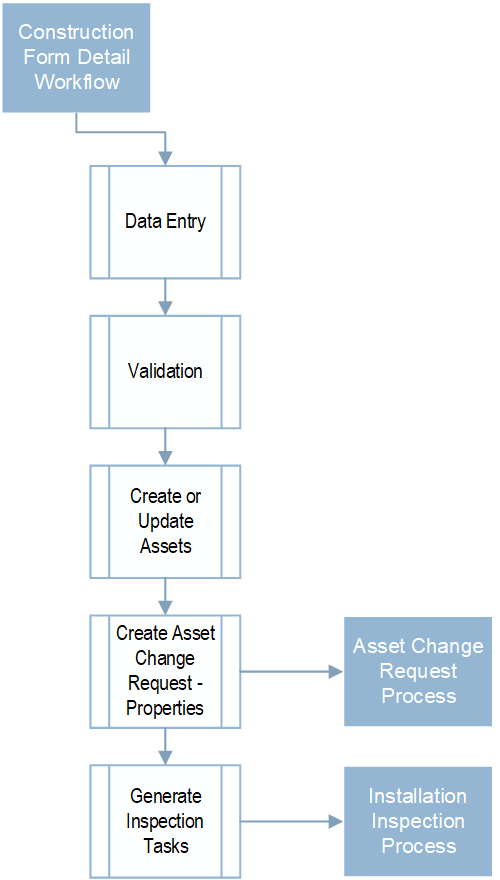
The following illustration shows processes in the APM construction form detail workflow:

Asset Change Request Process

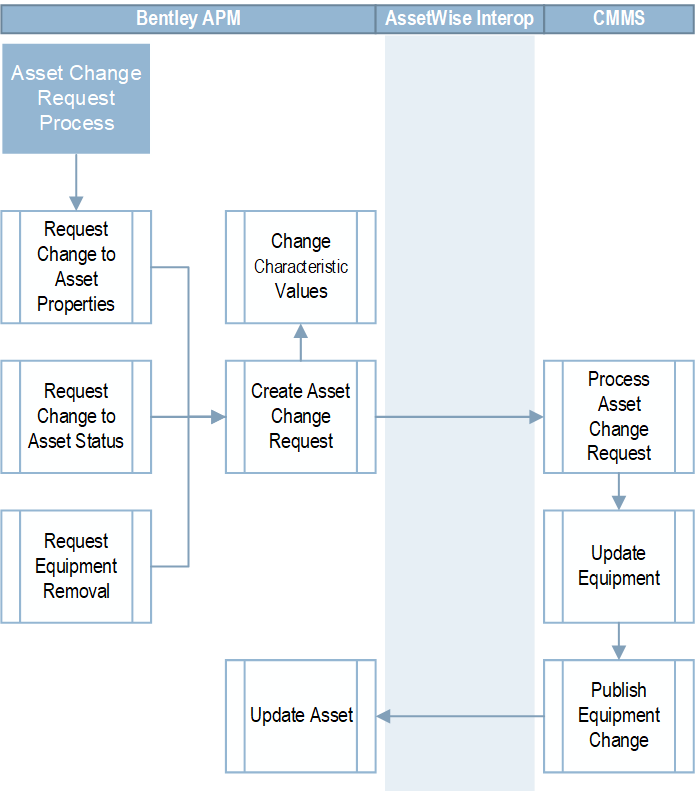
This diagram illustrates the asset change request process:
Asset change requests communicate information to the external CMMS that “owns” assets. The asset update is performed in the CMMS and then information, such as asset status, is communicated back to APM and the asset is updated.
These types of asset change requests are supported:
For related information, see Construction Management and AWEIS.

Installation Inspection Process

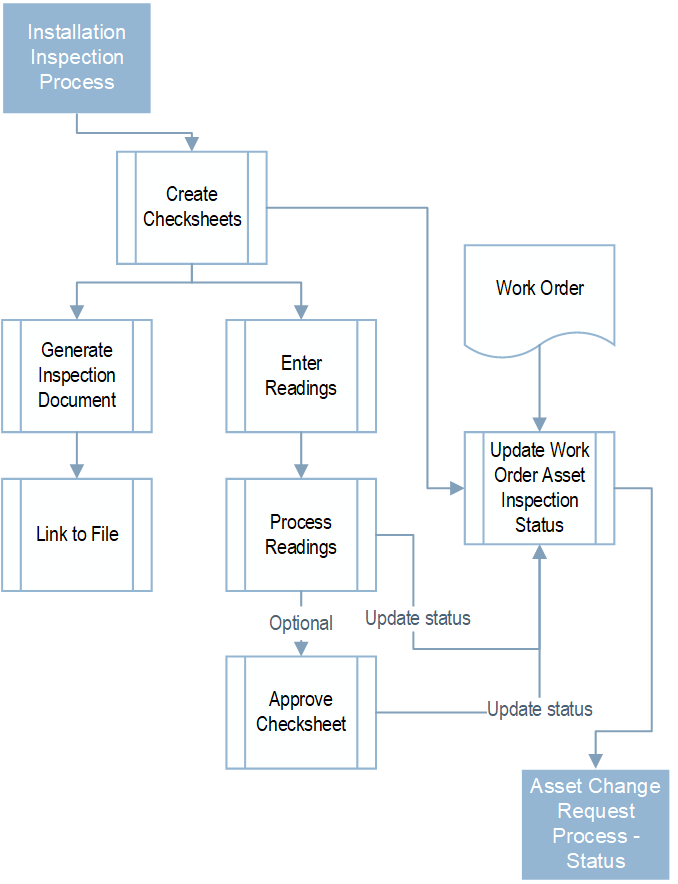
The following illustration shows the installation inspection process:
Create checksheets – Checksheets are based on the asset’s values and the asset program profile linked to the construction form template’s asset type. The profile specifies asset types and filters for selecting the specific assets to update, as well as the indicators, standard tasks, preplanned work, and documents to assign to assets. The profile generates a checksheet for each of the standard tasks.
Update work order asset inspection status – A work order asset inspection status is created for each asset on the construction form. Each checksheet references a work order asset inspection status. The inspection status is updated to “Complete” when all of the checksheets for the asset and work order are processed or approved. An asset change request is created to update the status of the asset in the CMMS.