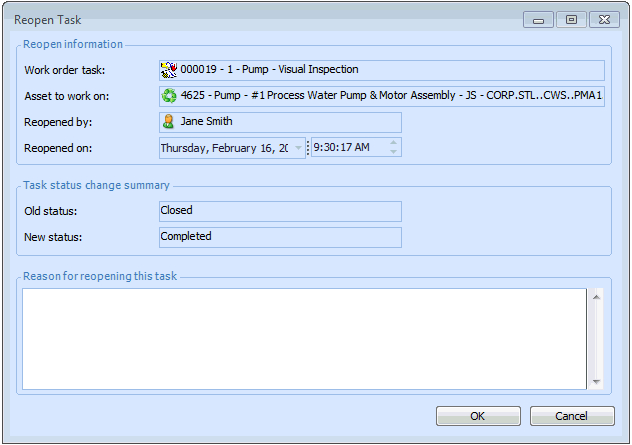
Reopening a Work Order Task

This section explains how to reopen a closed or canceled work order task. To reopen a work order and its tasks, see Reopening a Work Order.
Note: You cannot reopen a work order task that was created at a different site and then transferred to the current site with its asset.

To Reopen a Work Order Task

1.
Select the site’s Work Management view, Work Orders tab. From the Tasks tab, select Historical tasks view from the configuration list.
2.
3.
From the Task menu, select Reopen. The Reopen Task dialog appears.
4.
If necessary, enter comments in the Reason for reopening this task box.
5.
Click OK. APM changes the status of the task back to the status it had before it was closed or canceled.
6.