Checksheet Approval on APM Remote

The checksheet approval process is designed for supervisors tasked with ensuring that construction or maintenance work has been completed. After the work is done, a number of inspections are performed and recorded as readings. These readings are reviewed by the appropriate supervisor(s). A supervisor can either approve the work (at which point the readings are processed) or return the checksheet to the crew for more information or rework.
APM Remote supports approvers and approval requests. Data structures and download packages include approval routes for checksheets. This means that APM Remote users can flag a checksheet to be sent for approval and select the approval route. When the checksheet is uploaded to enterprise, the checksheet is available to approvers.
If the checksheet is approved, it is then processed. If the checksheet is rejected, it is included in the next download to APM Remote, where the user can correct and resubmit it. Users can also redraft checksheets from APM Remote.
Employee email addresses are downloaded to APM Remote so that emails can be sent to approvers.
This topic explains some of the steps to set up checksheets for approvals on APM Remote. It covers:

Approval Routes – Include Assets that Span the Hierarchy

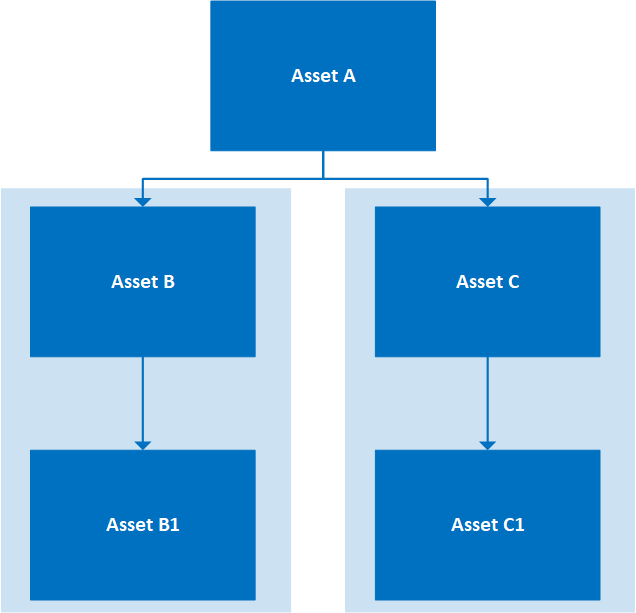
When you define approval routes for use in APM and APM Remote, be sure to add assets that reflect the hierarchy. Consider the following example.
For this approval route to work on enterprise and both remote devices, the route must include Asset A, Asset B, and Asset C.

Checksheet Type – Available Approval Routes

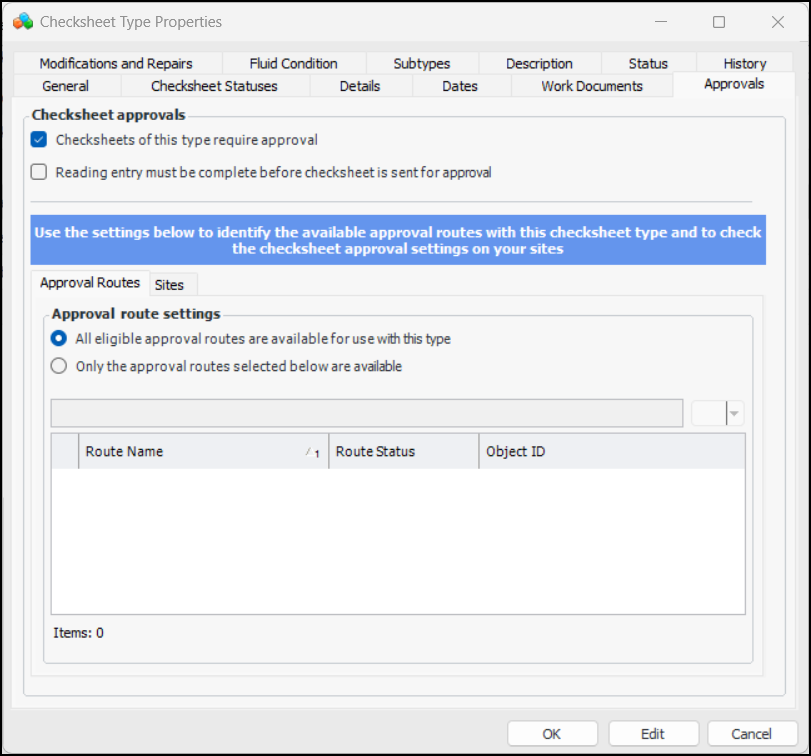
You can define the available approval routes by checksheet type. This allows separate routes to be defined for maintenance and construction inspections, for example. On the Checksheet Type properties dialog, select the Approvals tab to choose the approval routes for this type:

Checksheet Type – Available Statuses

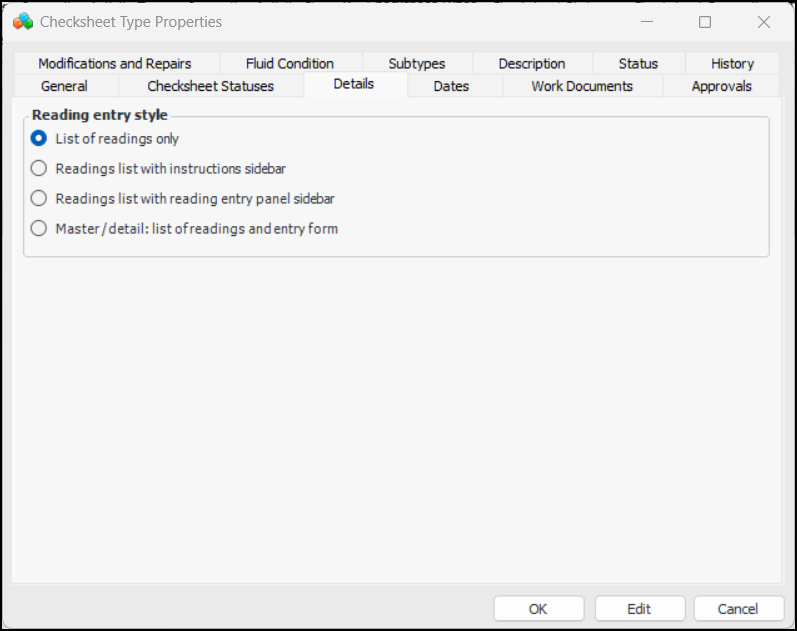
You can define the available checksheet statuses by checksheet type. This allows statuses that are specific to either maintenance or construction inspections, for example. On the Checksheet Type properties dialog, select the Details tab to choose the statuses that can be used with this type:

Checksheet Status – Readings Processed on APM Remote

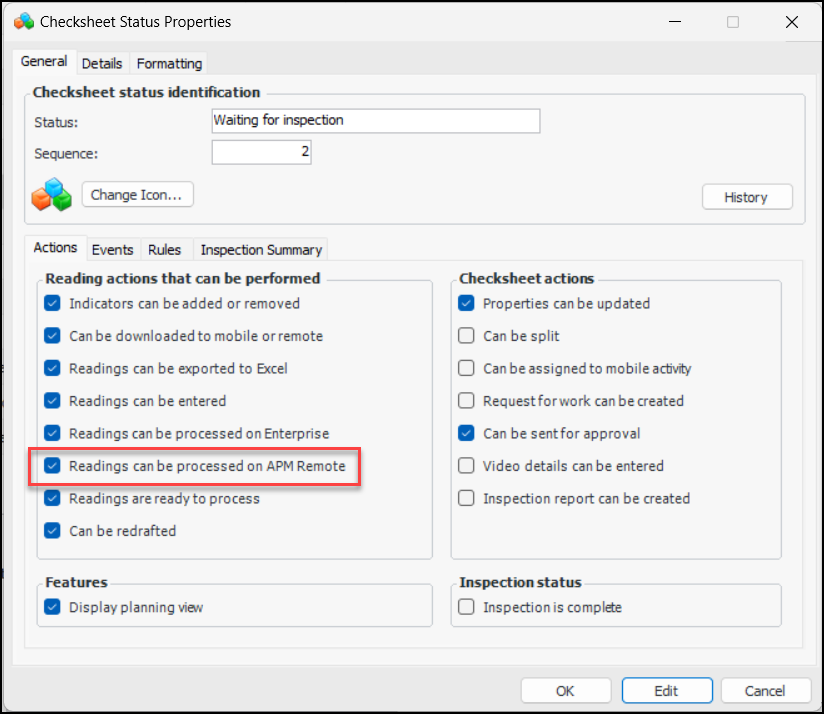
The Readings can be processed on APM Remote option has been added to the checksheet status so that you can specify whether or not checksheets with the status can be processed on the remote client.
Processing checksheets that were completed in APM Remote after they have been uploaded to enterprise improves performance on client computers.

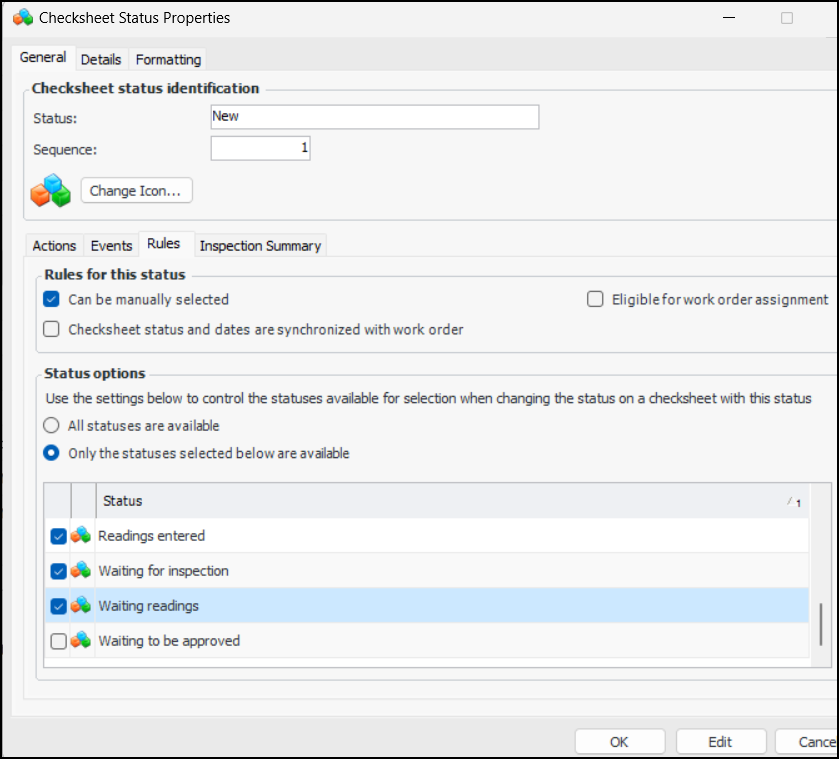
Checksheet Status – Next Available Statuses

When setting up checksheet statuses, you can identify the available next statuses. This means that when a user changes the status on a checksheet, only the available next statuses can be selected. In the Checksheet Status properties dialog, select the General tab and then the Rules tab to choose the statuses:

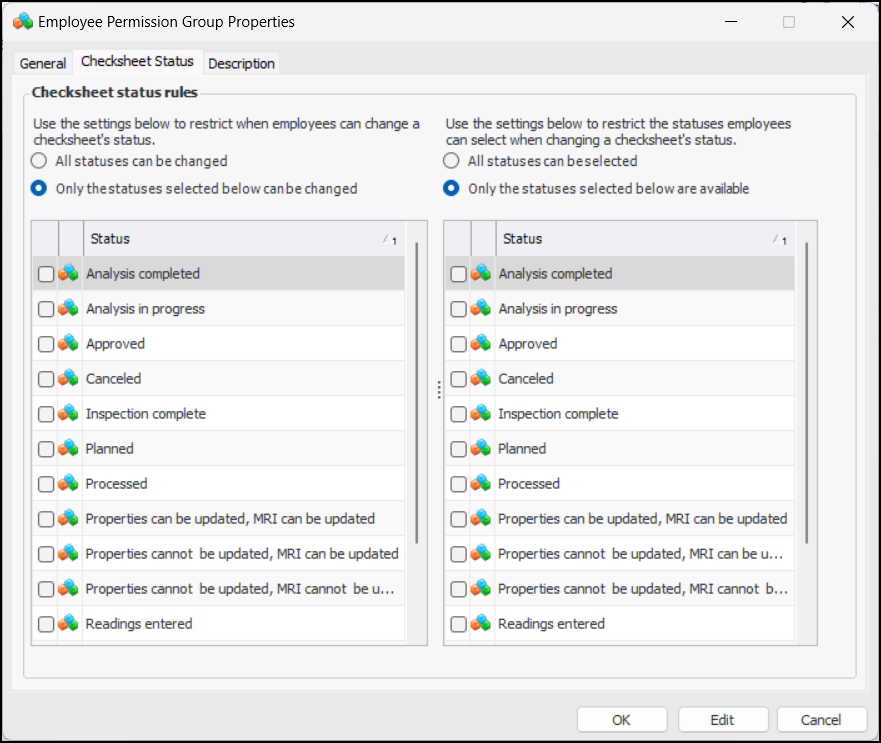
Employee Permission Groups – Checksheet Status

You can control the checksheet statuses an employee can select, as well as determine when an employee can change the status. For example, inspectors might not be allowed to change the status on an approved checksheet or to select the “Approved” status.
On the Enterprise window, select the Security view and Users tab. Select the Permission Groups tab. Open the Employee Permission Group Properties dialog and select the Checksheet Status tab. For example: