|
Checking the Current State of a Performance Indicator
You can check the current state of performance indicators from the site’s Analytics view, KPIs tab, which lists the performance indicators for the site. From this view, you can see if any of the indicators are in alarm, and you can open indicators to see their current status and details about indicator readings. You can do any of the following:
• If an indicator is in an alarm state, a flashing icon is displayed next to it in the table. To acknowledge an alarm, right-click the indicator and click Acknowledge Alarm. For detailed instructions, see Acknowledging Indicator Alarms and Warnings.
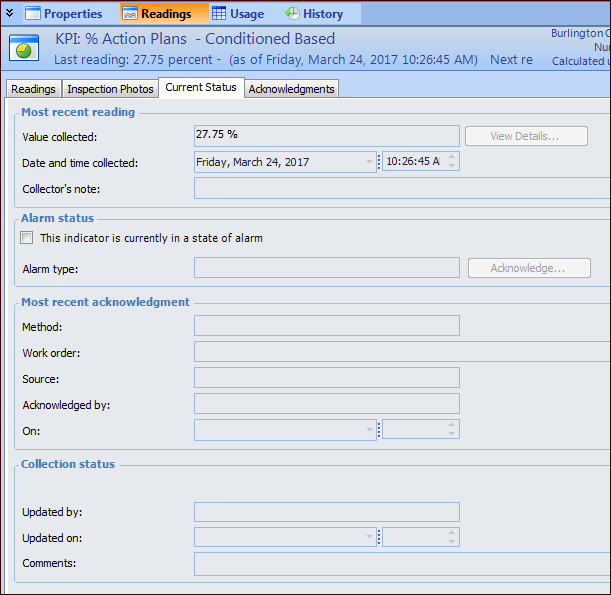
• Select the Readings view and then the Current Status tab. This tab lists the most recent value collected for the indicator and its current alarm and acknowledgment status. For example:
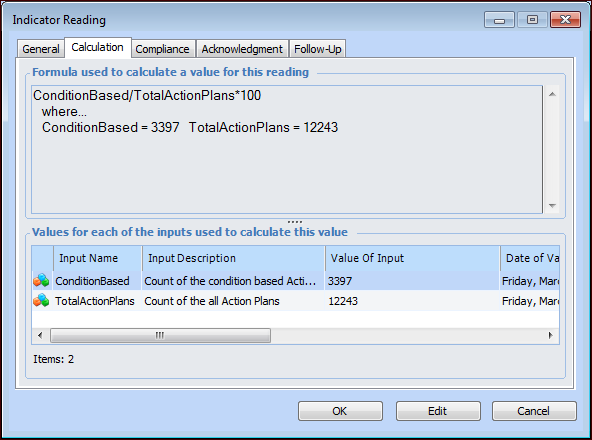
• To see the input values for the most recently collected value, select the Readings tab and double-click a reading to open the Indicator Reading dialog. Select the Calculation tab, which lists the values for each calculation input in the calculation. For example: