Changing the Status of an Asset Activity Report

An asset activity report’s status can be predetermined by an event. For example, a report can be assigned the status “Draft” when a report type is created, or assigned “Complete” when the report has been published.
Each report status defines whether the status can be manually set.
From time to time, you might need to change the status of an asset activity report.
This topic describes how to change the status of an asset activity report.

To Change the Status of an Asset Activity Report

1.
From the site, select the Assets view, then the Activity Reports tab. By default, this tab displays a list of all asset activity reports for the site and below.
2.
3.
4.
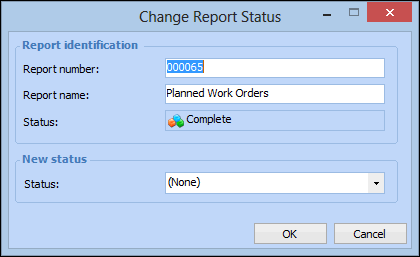
On the Properties view, General tab, Report Identification group, click Change. The Change Report Status dialog appears. For example:
Note: You can also select the Report menu, then Change Status.
5.
Select a new status from the list, then click OK. The status of the report is updated.