|
Canceling and Un-canceling Mobile Computing Activities
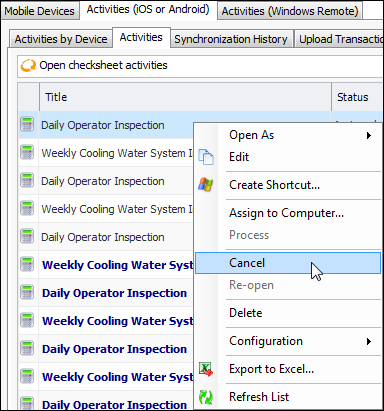
To Cancel a Mobile Computing Activity
1. Select the site’s Mobile Computing view, Activities (iOS or Android) tab, and then the Activities tab. Select the appropriate configuration in the list, for example, “All checksheet activities” or “All countsheet activities”.
2.
3. A confirmation message appears. Click Yes. The system changes the status of the activity to “Canceled”. The item is scored through in the table.To Uncancel a Canceled Mobile Activity
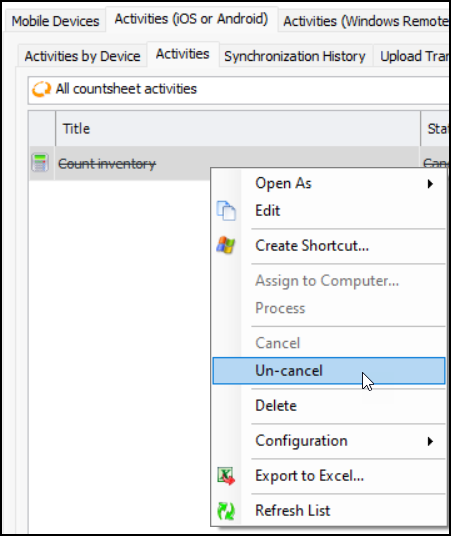
1. Select the site’s Mobile Computing view, Activities (iOS or Android) tab, and then the Activities tab. Select the appropriate configuration in the list, for example, “All checksheet activities” or “All countsheet activities”.
2. Right-click the canceled item and click Un-cancel.