Assigning Triggering to a Calculation

Triggered calculations are reusable calculations that are triggered based on a user-defined event such as when an object is saved or deleted. Others can include date and time-based triggers.
Note: Calculations can be complicated and resource-intensive. The trigger option to calculate “On the execution of events or user actions” should be selected with careful consideration of the impact on interactive use, as well as on batch processes. Be sure to test impact thoroughly.
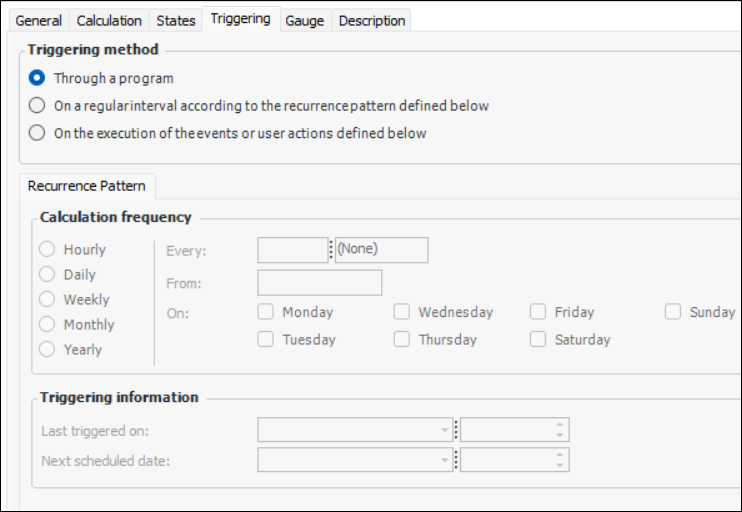
A triggered calculation can occur through a program, a defined recurrence pattern, or based on an event.
This topic describes how to assign triggering to a triggered calculation.

To Assign Triggering to a Calculation

1.
2.
3.
Select the Triggering tab.
4.
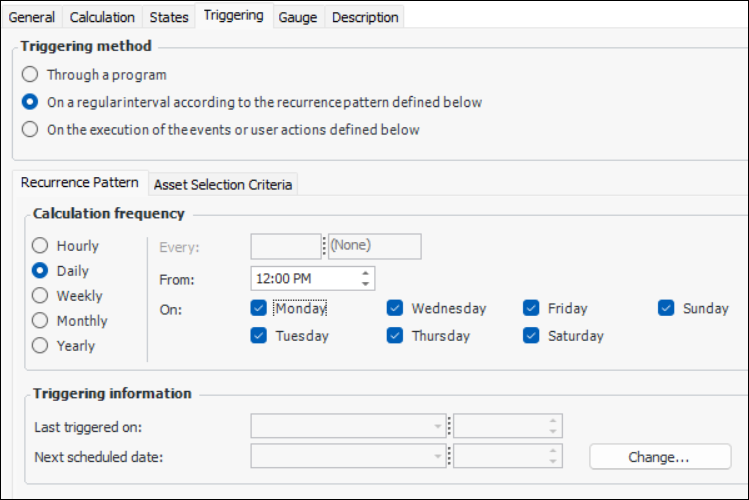
On a regular interval according to the recurrence pattern defined below: The calculation frequency and any selection criteria such as the attribute(s) or relationship(s) to filter on, the condition(s) and value(s) to use for the selection must be defined.
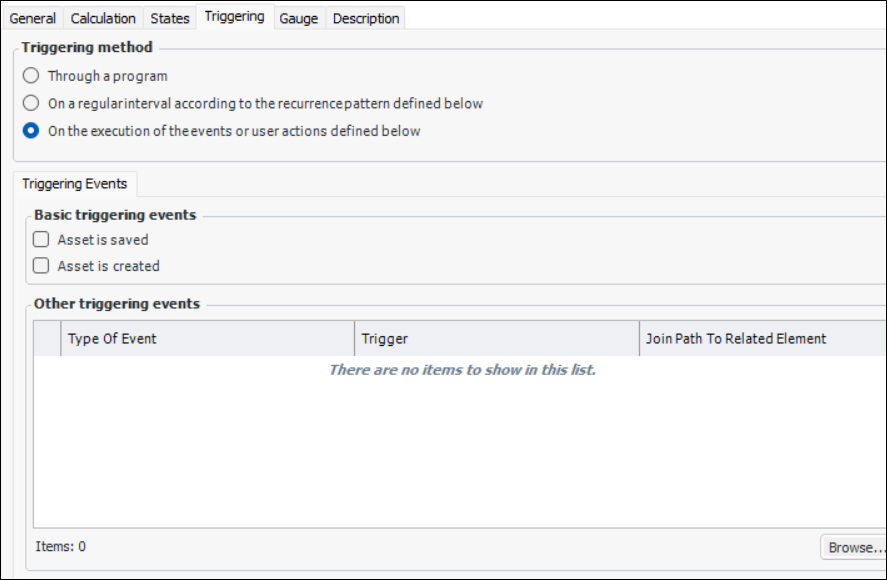
On the execution of the events or user actions defined below: Basic triggering events such as when the object is saved or created can be selected here. If you want to trigger the calculation based on any other type of event, you can click Browse to select attributes, relationships, and/or methods of the class or a related class, such as a subtype attribute of the class.
5.
If you selected the On a regular interval according to the recurrence pattern defined below, you can define for the calculation including the intervals, dates, recurrence, and days of the week if necessary on the Recurrence pattern tab. For example:
6.
If you selected the On a regular interval according to the recurrence pattern defined below, you can select the object’s Selection Criteria tab to define any attribute(s), condition(s), and value(s) that cause the calculation to occur.
7.
If you selected On the execution of the events or user actions defined below trigger method, the Triggering Events tab appears. For example:
8.
You can select Asset is saved and/or Asset is created to trigger the calculation each time the object is saved or created.
9.
For any other type of event, click Browse to select other attributes, relationships, and/or methods that will trigger the calculation to occur, and then click OK to close the dialog and add the events to the Other triggering events list.
Note: To have the system display an error message if an event-triggered calculation fails, select Display a message if calculation fails on the calculation’s General tab.