|
Viewing CPR Action Plans for Standard Tasks and Jobs
To View a Standard Task’s Action Plans
1.
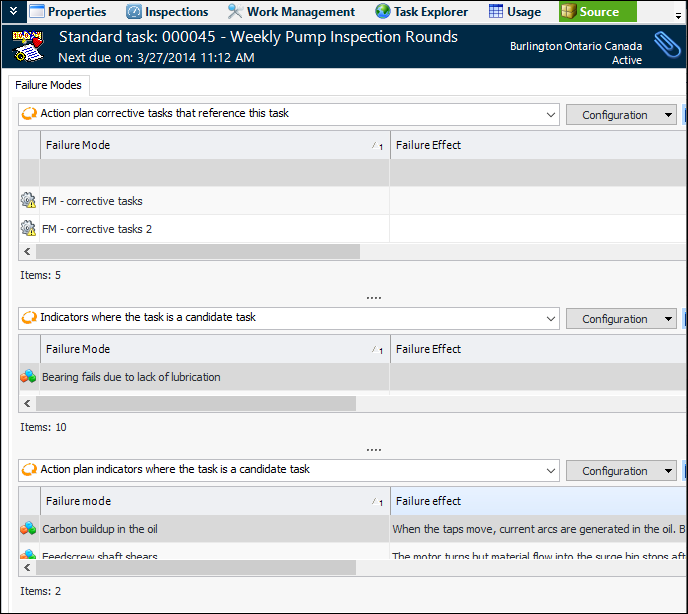
2. Open the standard task and select the Source view.
3. On the Failure Modes tab, scroll to the right to view the action plans on which the standard task is referenced as a corrective action. The second table lists the action plans that include indicators that reference the standard task. The third table lists the action plans that reference the standard task and indicators.To View a Standard Job’s Action Plans
1.
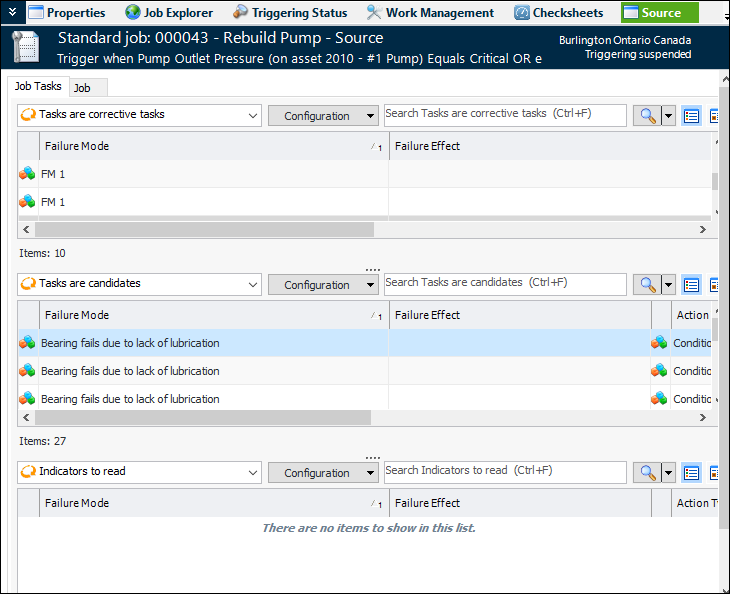
2. Open the standard job and select the Source view.
3. On the Job Tasks tab, scroll to the right to view action plans to which the job is assigned.