|
Working with CPR Action Plan Task Statuses
To Assign a Task Status to an Action Plan
• From the site’s Strategy Development view, select the Action Plans tab. Locate and double-click the action plan to open the Maintenance Action Plan window.
• On the Strategy Development Analysis window, select the Implementation view and then the Action Plans tab. Locate and double-click the action plan to open the Maintenance Action Plan window.
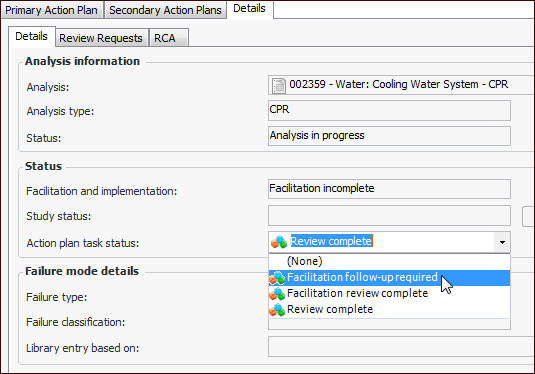
2. Select the Details tabs.Tip: To assign a task status to a secondary action plan, select the Implementation view in the Maintenance Action Plan window. Select the Secondary Action Plans tab. Double-click the action plan to open its Maintenance Action Plan window. Select the Details tab.
4. In the Action Plan Status list, select a status:Viewing Action Plans’ Task Statuses for the Site
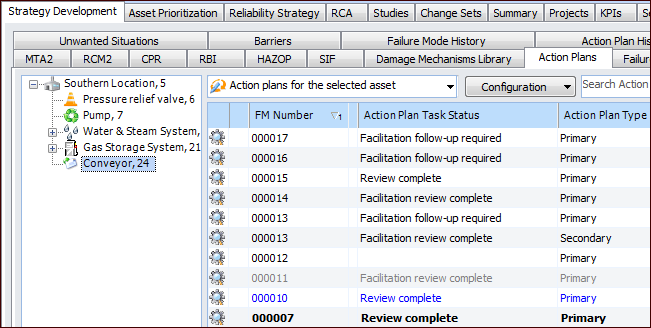
To view action plans with the statuses that you have set up and assigned, select the site’s Strategy Development view and tab, Action Plans tab. Select an asset in the tree to list its action plans in the table. The Action Plan Task Status column displays the statuses assigned to all of the asset’s primary and secondary action plans. For example: