|
Changing the Status of Action Plans and Current Practice Reviews
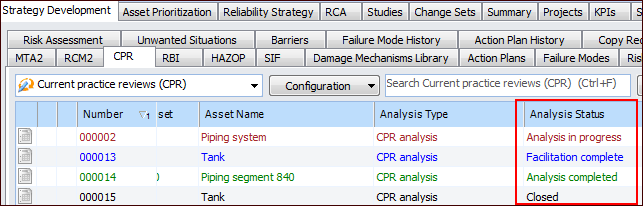
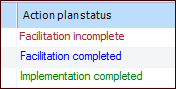
You can keep track of the strategy development process by monitoring the status of reviews and action plans. For example, select the site’s Strategy Development view, CPR tab. Scroll to the Analysis status column:To view the statuses of action plans, open the review, select the Facilitation view and then the Action Plans tab. Scroll to the right to see the Action plan status column. For example:
Tip: You can review the history of review status changes on the History view, Analysis Audit Info tab.To Change the Status of an Action Plan
1.
2. Open the review containing the action plan. Select the Implementation view and the Action Plans tab.
• To complete the action plan, right-click it, click Mark As, and then either Facilitation Completed or Implementation Completed. The latter option is only available if the action plan has already been marked Facilitation Completed or it has a recommended strategy. The system updates the plan’s status.
•To Change the Status of a Review
1. Tip: You can also view the list of reviews from an asset’s Strategy Development view and tab, Analyses tab.
• Right-click the review, click Mark as, and then the status.
•