|
Setting Failure Mode Options for a Current Practice Review
• Hide or show the Failure mode note sidebar in Maintenance Action Plan windowsTo Set Details
3.
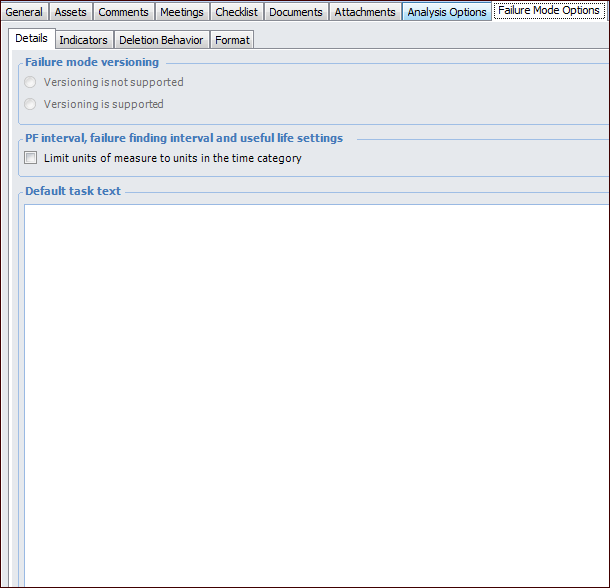
4. On the Details tab, set the following options:
5. In the Default task text box, you can enter text that will automatically appear in the Recommended task box of new action plans.To Set Indicator Options
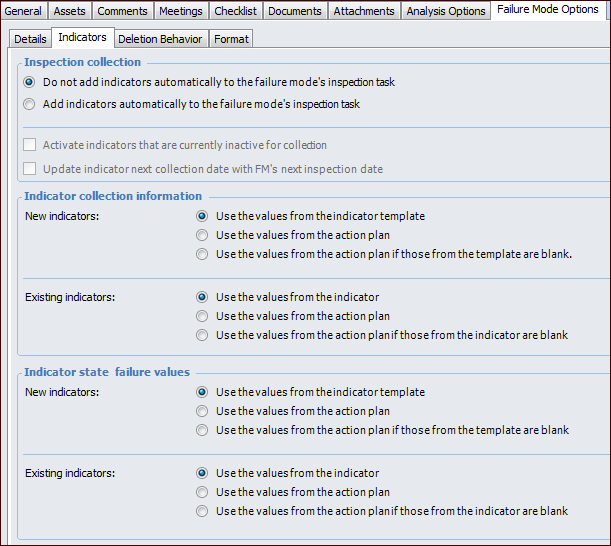
1. Select the Indicators tab.
• Add indicators automatically – when an inspection task is added, indicators currently on the action plan are added to the standard task. When indicators are subsequently added to the action plan, they are automatically added to the standard task.To enable this functionality, select Activate indicators that are currently inactive for collection.To Set Deletion Behavior Options
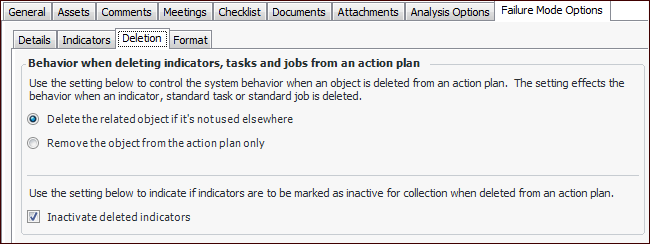
1. Select the Deletion tab.To Set Format Options
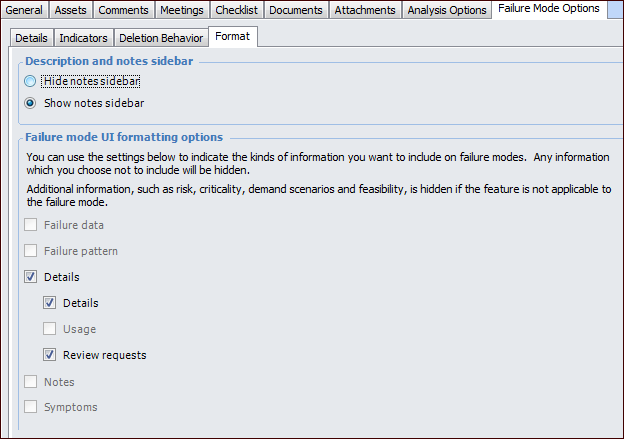
1. Select the Format tab.
Tip: The analyst can add information to the Analysis Note and Evaluation Note tabs located in the Details view, if available.
When this option is selected, the Details tab appears in the Maintenance Action Plan window.
When this option is selected, the second Details tab appears on the Details tab in the Maintenance Action Plan window.
When this option is selected, the Review Requests tab appears on the Details tab in the Maintenance Action Plan window.