|
Creating CPR Action Plans in APM
•
•To Create Action Plans in APM
1.
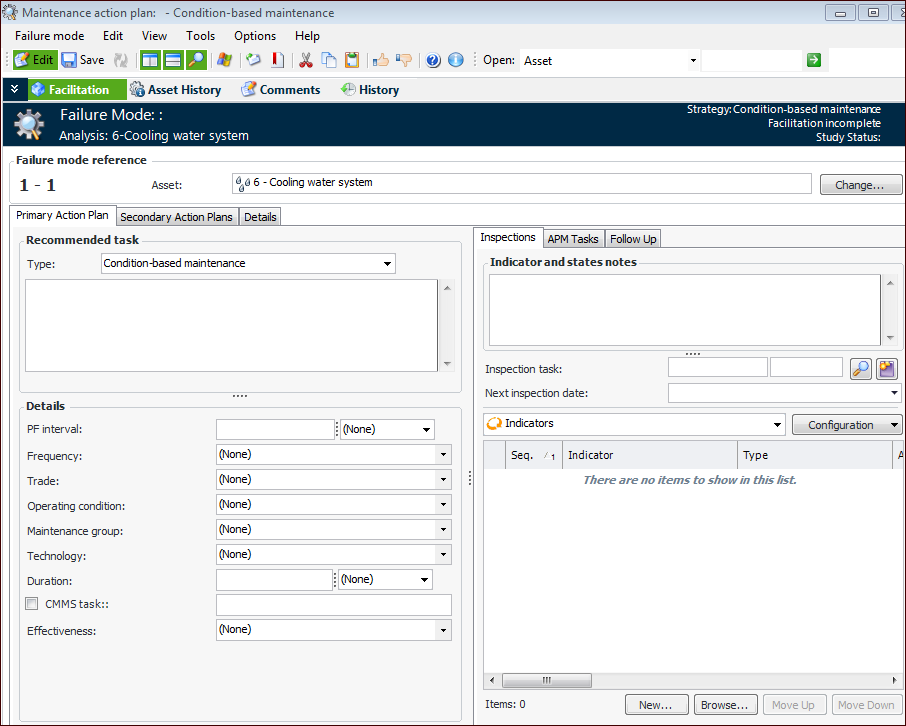
3. The Failure mode reference area displays the unique identifier for the action plan, which consists of the asset’s sequence number and the action plan number. The asset number and name are displayed.Tip: You can hide or show the Failure mode note box by selecting an option in the analysis’ failure mode options. On the Format tab, in the Description and notes sidebar area, click Hide identification section or Show identification section.
4. On the Primary Action Plan tab, select the recommended task type. The options are:
• Condition-based maintenance entails checking for potential failures so that action can be taken to prevent the functional failure or to avoid the consequences of the functional failure. On-condition tasks are so called because the items that are inspected are left in service on the condition that they continue to meet specified performance standards.
• Failure-finding maintenance involves checking a hidden function at regular intervals to find out whether it has failed.
• Modification/redesign is any one-time change to the equipment, training, maintenance or operating procedures, etc.
• No Scheduled Maintenance means assets are left in service until a functional failure occurs, at which point they are repaired or replaced.
• Scheduled restoration/discard: Scheduled restoration entails restoring the initial capability of an existing asset at or before a specified age limit, regardless of its apparent condition at the time. Scheduled discard or replacement tasks entail discarding an asset at or before a specified age limit, regardless of its condition at the time.
• To be determined means that an action plan type has not been decided on.Note: If APM is configured to interact with a SAP Plant Maintenance system, System condition and Work center are available in the Details area.
Standard documents that describes how to perform the modification, for example, training prerequisites, objectives, and evaluation methods. Click Browse to select or create a document.
7.