Using the Details view in the Maintenance Action Plan window, you can assign a status to the action plan and view information such as review requests and root causes.
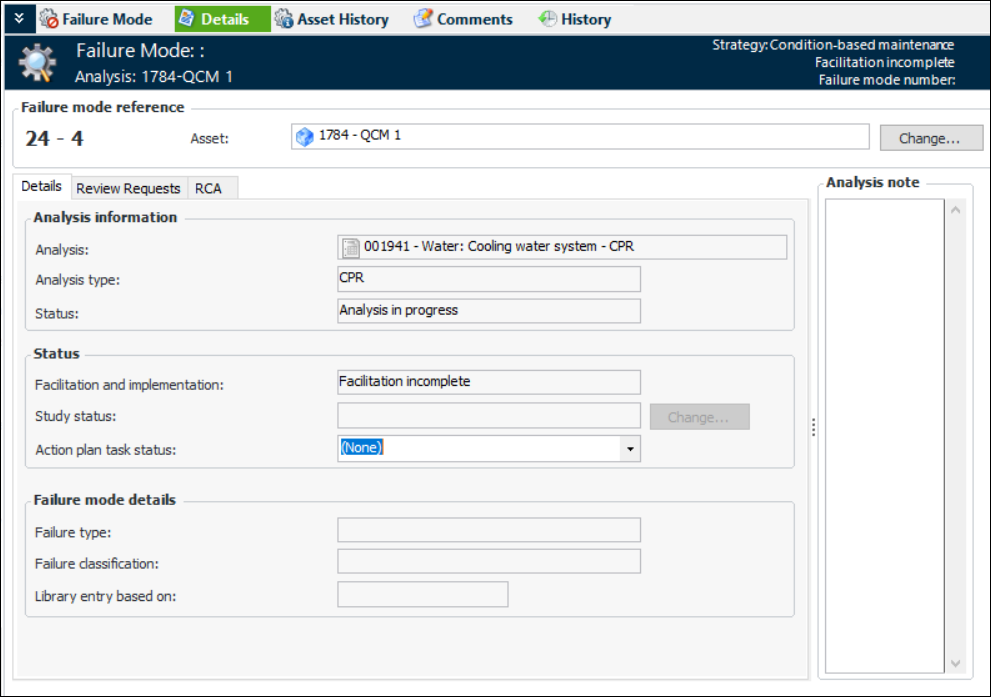
The Details view displays information about the action plan’s analysis and status. For example:
The Status area shows the action plan’s status in regard to facilitation and implementation. The status of the study that the analysis has been assigned to is also shown. If action plan statuses have been defined for your organization, you can select a status from the
Action plan status list.
If the action plan was created as the result of an analysis request, select the Review Requests tab to view the request. You can double-click the request to open its Request dialog, where details such as the project number and analysis estimate are shown.
If the action plan was created as a result of a root cause analysis, the RCA tab lists the root cause. You can double-click the root cause to open its Properties dialog, where the cause statement, solution, and messages are displayed.