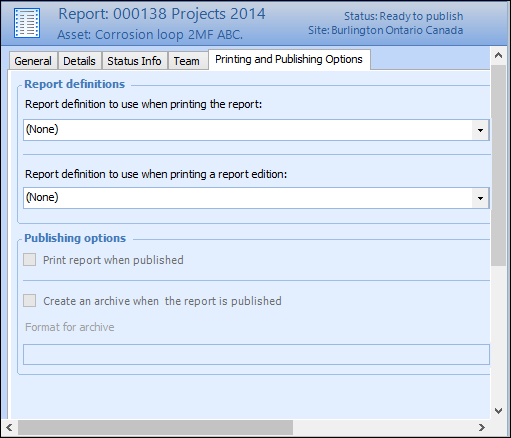
Concepts Tasks Settings Assigning Asset Activity Report Printing and Publishing Options You can assign the asset activity report printing and publishing options such as the file format and location of the printed asset activity report, whether archives are created or the report is printed when published. This topic describes how to assign printing and publishing options to an asset activity report. To Assign Printing and Publishing Options 1. Open the asset activity report to you want to assign printing and publishing options. 2. Make sure that editing is enabled. 3. On the Properties view, select the Printing and Publishing Options tab. For example: 4. You can edit any of the following information: Setting Name Description Report definition to use The report definition to use when printing the asset activity report. Report definition to use for published edition The report definition to use when printing the published asset activity report edition. 5. If you selected a report definition to use when printing a published report, you can select from the following information: Setting Name Description Print report Select this option to print the report when the asset activity report is published. Create archive Select this option to create an archive when the report is published. Each new archived edition number automatically increments by one. Format Select the format for the output of the report. Your choices are: • Comma separated values (*.csv) • Hypertext markup language (*.html) • Microsoft Excel (*.xls) • Plain text (*.txt) • Portable document format (*.PDF) • Rich text (*.rtf) • TIFF (*.tiff) Note: Portable document format is the default option.



 is enabled.