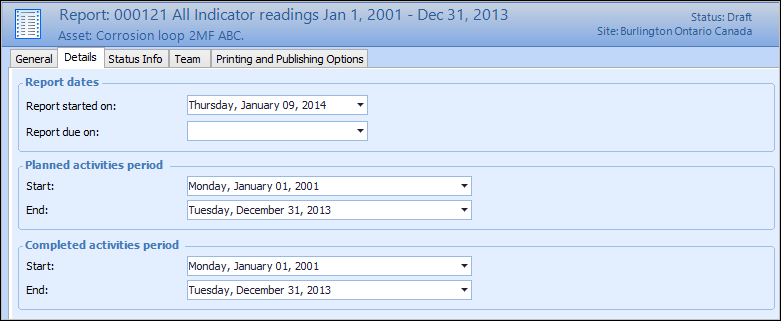
Concepts Tasks Settings Assigning Asset Activity Report Details You can assign date and file options that are relevant to the asset activity report. For example, you can assign a due date for the report and mark the report as completed. You can also set the starting and ending dates for planned and completed activities that will appear on the report. This topic describes how to assign reporting dates to an asset activity report. To Assign an Asset Activity Report Details 1. Open the asset activity report to which you want to assign dates. 2. Make sure that editing is enabled. 3. On the Properties view, select the Details tab. For example: 4. Complete the following information: Setting Name Description Report Started On The date that the report was created. Report Due On Select the due date for the asset activity report. Planned activities start The starting date for planned activities during the reporting period. This option is only available if the report type supports planned activities. Planned activities end The ending date for planned activities during the reporting period. This option is only available if the report type supports planned activities. Completed activities start The starting date for completed activities during the reporting period. This option is only available if the report type supports completed activities. Completed activities end The ending date for completed activities during the reporting period. This option is only available if the report type supports completed activities.



 is enabled.